Searching for calendar information

WHAT AND WHY

With the community calendar service now live, I’ve got to do a bit more work to make it fully data-driven. Since I’m already managing the per-community feed lists and metadata on Delicious, I figure I might as well go all the way. So I’m keeping a list of the Delicious accounts that control each community’s calendar aggregator on Delicious too. Today there are three. The idea is that when I add the fourth, I won’t touch any code — or even configuration data — that will require an update to the running service. I’ll just bookmark a fourth Delicious account and tag it with calendarcuration.

But that’s merely an administrative convenience. Much more critical, at this point, is to help curators find machine-readable calendars in their communities and — since most of the calendars that might exist don’t — also show people how they can easily create them.

I got a running start when I bootstrapped the Ann Arbor instance, thanks to Google Calendar. I searched for Ann Arbor there and found a nice list of iCalendar feeds. But that search feature is, at least for now, gone.

Several curators have tried searching the web for .ICS files (e.g. filetype:ics), but that’s not very productive for a couple of reasons. Where iCalendar resources do exist, they often aren’t exposed as files with .ICS extensions. But more importantly, relative to the number of iCalendar resources that could exist, very few actually do.

So I thought back on how I bootstrapped the original Keene instance. A number of the events there are recurring events that were advertised on the web, but not in any structured format. I found them one day by doing web queries like:

"first monday" keene
"every thursday" keene

There’s no fully automatic way to convert this stuff into structured calendar data. But it’s pretty straightforward to fire up a calendar program, enter some recurring events, and publish a feed. The advantage of recurring events, of course, is that they keep showing up, which is very helpful if you’re trying to build critical mass.

So I’m now envisioning a pair of tools to help curators do this more easily. First, I’d like to have each community’s aggregator running a scheduled search that helps the curator be aware of calendar-like information that could be upgraded to actual calendar data. Second, I’d like to provide a tool that partly automates the cumbersome data entry.

I’ve done an initial version of the search tool, and an example of its output is here. I’ll attach the code to the end of this item, for those who care, although I expect that if it winds up being useful to curators, most will appropriately not care, and will only want to scan the links now and then.

It may be interesting, over time, to try to evolve this into a robot that makes sense of the calendar information that people actually write, as opposed to the information that calendar programs constrain them to produce. But meanwhile this hybrid approach seems like a way to make progress.

HOW

I did this tool in two parts. The kernel, so to speak, is in C#, because for now that’s the most practical way to write Azure services and applications. But the application is in IronPython, because the search function doesn’t yet need to be hosted on Azure, and IronPython is a really flexible and convenient way to experiment with the kernel.

The C# piece uses James Newton-King’s Json.NET library because JavaScript interfaces are now the preferred way to search programmatically. It’s been a while since I’ve done this kind of thing. Used to be, the REST APIs were easy to find. But now, since those interfaces are mainly intended for use by JavaScript objects embedded in web pages, I had to do a bit of spelunking.

One of the interesting things about Json.NET is that it includes an implementation of LINQ for JSON. That’s why you see the “from … select” syntax, which extracts an enumerable list of URLs from the JavaScript results returned by the search services.

using System;
using System.Collections.Generic;
using System.Linq;
using Newtonsoft.Json;
using Newtonsoft.Json.Linq;

namespace CalendarAggregator
{
  public class Search
    {
    public List<string> search_result_urls;
    public Dictionary<string, int> dict;

    public List<string> livesearch(string query)
      {
      var url_template =  "http://api.search.live.net/json.aspx?AppId=XXX& \
          Sources=web&Query={0}&Web.Count=50";
      var offset_template = "&Web.Offset={1}";
      var search_url = "";
      int[] offsets = { 0, 50, 100, 150 };
      foreach (var offset in offsets)
        {
        if (offset == 0)
          search_url = string.Format(url_template, query);
        else
          search_url = string.Format(url_template + 
            offset_template, query, offset);

        var page = Utils.FetchUrl(search_url).data_as_string;
        JObject o = ( JObject) JsonConvert.DeserializeObject(page);

        var urls =
          from url in o["SearchResponse"]["Web"]["Results"].Children()
            select url.Value<string>("Url").ToString();

        dictify(urls);
        }
      return new List<string>();
    }

    public List<string> googlesearch(string query)
      {
      var url_template = "http://ajax.googleapis.com/ajax/services/search \
          /web?v=1.0&rsz=large&q={0}&start={1}";
      var search_url = "";
      int[] offsets = { 0, 8, 16, 24, 32, 40, 48 };
      foreach (var offset in offsets)
        {
        search_url = string.Format(url_template, query, offset);
        var page = Utils.FetchUrl(search_url).data_as_string;
        JObject o = (JObject)JsonConvert.DeserializeObject(page);

        var urls =
          from url in o["responseData"]["results"].Children()
             select url.Value<string>("url").ToString();

        dictify(urls);
        }
      return new List<string>();
    }

  private void dictify(IEnumerable<string> urls)
    {
    foreach (var url in urls)
      {
      if (dict.ContainsKey(url))
        dict[url] += 1;
      else
        dict[url] = 1;
      }
    }
  }
}

Here’s the IronPython piece which uses the search methods from the C# code:

import clr
clr.AddReference("CalendarAggregator")

locations = [
'ann arbor',
'huntington wv',
'keene'
'virginia beach',
]

qualifiers = [
'first',
'second',
'third',
'fourth',
'every'
]

days = [
'monday',
'tuesday',
'wednesday',
'thursday',
'friday',
'saturday',
'sunday'
]

for location in locations:
  search = Search()
  for qualifier in qualifiers:
    for day in days:
      q = '"%s" "%s %s"' % ( location, qualifier, day )
      search.googlesearch(q)
      search.livesearch(q)

for key in search.dict.Keys:
  print key, search.dict[key]

Calling calendar curators

The elmcity+azure project is live today at elmcity.cloudapp.net. The service is currently gathering and organizing online calendars for two towns: Keene, NH and Ann Arbor, MI. I’m keeping the list of iCalendar feeds for Keene, and Ed Vielmetti is keeping the list for Ann Arbor.

If you’d like to play along in your town, just pick a Delicious account, bookmark all the useful iCalendar feeds you can find, plug in some metadata, and point me to the account. I’ll register it with the service, which will:

  • Regularly parse the iCalendar feeds in your list.
  • Report numbers of events found in the feeds, or details of errors encountered.
  • Scan Eventful.com for events in your specified location.
  • Merge all the events.
  • Publish an HTML view of the merged calendar, based on the HTML template and CSS file that you specify.
  • Produce JSON and XML views of the merged data.
  • Serve up an embeddable JavaScript widget for just the current day.

If you decide to try curating one of these lists, you’ll quickly find, as I have, that there are no major technical hurdles. True, there are some issues with invalid iCalendar feeds. But that’s not what prevents us from having a comprehensive view of all the public events happening where we live. The real challenge is explaining how to publish useful calendars using free, ubiquitous tools, why posting a PDf to the website isn’t good enough, and what network effects can happen when more of us publish and syndicate calendar feeds.

It’s a big challenge. But progress in this domain can generalize to others. When I discussed this project at Transparency Camp, Greg Elin said: “OK, so you’re not trying to get people to adopt a technology, you’re trying to get them to adopt a pattern.”

That’s it exactly. This pattern of collaborative curation isn’t yet well understood or widely practiced. But it’s a key strategy that Internet citizens can use to enhance collective awareness and enable collective action. So if you try this experiment, I’m most interested to know what words, images, behaviors, or demonstrations help you get that idea across.

Hosted lifebits meets infobus

Doug Purdy is thinking out loud about the principles, scenarios, architecture, and software necessary for what he calls infobus and what I have called hosted lifebits. I started to respond in comments on Doug’s blog, but of course that subverts what I declare to be a core principle, namely syndication.

There’s a crucial difference between a) committing my words to Doug’s blog, and b) committing my words to my own lifebits stream and then syndicating them to Doug’s blog. We don’t see it very clearly yet because we lack the mechanism for b).

I can kinda get the effect of syndication by referring to Doug’s blog entry from mine, and hoping that his blog engine will notice and acknowledge. But a truly syndication-oriented mechanism would imply that I publish in my own space, and then — in Doug’s space — actively subscribe back to myself. To explicitly comment on Doug’s entry, in other words, I don’t type words into his comment form. I create a subscription associated with my identity (as a conventional comment always is) that points back to my feed.

Let’s consider Doug’s point #4: “You determine if/when/how this data is accessed, the terms of use and the revocation of the license.” If I comment on Doug’s blog, I can hope for ex post facto control of my words, but whatever agreement may be (tacitly or explicitly) in place, the architecture doesn’t support that control. I may or may not be able to revise or extend my remarks. And Doug can certainly revise, extend, or delete — it’s his blog.

If I syndicate to Doug’s blog, there is still only a hope of ex post fact control, not a guarantee. But the architecture is at least aligned in my favor. The effort I invest in writing on Doug’s blog, or a bunch of other blogs, is preserved. I can archive, organize, and search all my stuff. I don’t need to depend on services Doug’s blog may or may not offer to find out who is reading and reacting to my stuff. And if I want to withdraw my comment, I just revoke the permission I gave Doug’s blog service to syndicate from mine.

Realistically, that revocation won’t erase my contribution to Doug’s blog. My words may have been quoted there, in other comments, and the mixing process dilutes control — which I argue is a feature, not a bug. But if the default is to syndicate by reference, rather than by value, the architecture favors the kind of control we want.

To clarify what I mean by favoring the right kind of control, let’s switch to a medical information scenario. Recently I had a dental xray. The image lives on the dentist’s hard drive. I want it to work differently. When I show up at the dentist’s office, I want to give the xray technician a token that grants her machine access to my lifebits store. The machine publishes the image to my store. I, in turn, agree to syndicate the image back to the dentist — maybe to copy, but maybe only to view.

One interesting benefit of this arrangement is that I’m decoupling dental service from image storage service. Maybe I’ll just turn around and reconnect them, because maybe I’d rather just let the dentist bundle those services. But when I interpolate my lifebits store into the pipeline, I guarantee portability to another dentist.

Another benefit is clarity of ownership and syndication rights. My lifebits store will have a management service where I declare, review, and adjust all of the syndication relationships between my lifebits streams and the services they participate in. And this management service can not only implement my ownership and syndication policies, it can announce them to the world. It can be the place where I say who gets to do what with my stuff. Some of those policy assertions will be private, but many will be public. Ultimately, again, there is no guarantee of ex post facto control. But if you violate my terms, it will be easier for me, or anyone, to determine that you have done so.


PS: Coincidentally, or maybe not, Doug was my guest on last week’s Innovators show. The topic was “Oslo”. But the context was our shared passion for figuring out how computers, information systems, and networks can more easily and more faithfully express the intentions of the people who own, operate, and inhabit them.

Cornell is WIRED!

I spent last weekend in DC at Transparency Camp, which turned out to be one of the best cultural mashups I’ve attended in a long time. If we can get federal policy wonks and Silicon Valley tech geeks working together in the right ways, there’s good reason to hope that our government can become not just more transparent, but also more effective, more collaborative, more democratic.

A central theme was access to the operational data of government. What kinds of structured or narrative data exist, or could exist? When government doesn’t publish the stuff, how can activists extract it? When government does publish it, how can that be done most usefully? When the information is made available, one way or another, how can citizens, journalists, and government itself make use of it?

In my own work, I’ve been asking and trying to answer these questions. The event validated my efforts, and connected me to a flood of relevant people, ideas, tools, and techniques. That’s what you hope to get out of a conference, and it’s what this one delivered in spades.

But it also brought something else into sharp focus. To explain, I have to revisit 1994. In that seminal year, Microsoft famously “got” the Web. As BusinessWeek reported two years later:

The Web-izing of Microsoft begins in February, 1994, when Steven Sinofsky, Gates’s technical assistant, returned to his alma mater, Cornell University, on a recruiting trip. Snowed in at the Ithaca (N.Y.) airport, he headed back to the Cornell campus. That’s when he saw it: students dashing between classes, tapping into terminals, and getting their E-mail and course lists off the Net.

The Internet had spread like wildfire. It was no longer the network for the technically savvy — as it had been seven years earlier when Sinofsky was studying there — but a tool used by students and faculty to communicate with colleagues on campus and around the world. He dashed off a breathless E-mail message called “Cornell is WIRED!” to Gates and his technical staff.

Fifteen years on, the Net is as pervasive as air, as fundamental as gravity, as nourishing as sunlight — at least for the billion of us lucky enough to be online.

But while the architecture of the Net is firmly established, the architecture of communication and collaboration enabled by the Net is still very much up for grabs. Key principles, best practices, and effective patterns are still emerging.

For many years I have been a discoverer, early adopter, and explainer of those principles, practices, and patterns. And I’ve wondered: What would it would be like if you didn’t have to discover, adopt, and explain this stuff? What would it be like if you could just take it for granted, and just use it, in an environment where everybody else was using it too?

It would be like Transparency Camp 09.

This wasn’t the first event I’ve been to where Twitter was pervasive. But it was the first I’ve been to where tech geeks weren’t the only ones Twittering. The policy wonks were too. Everyone was tuned into the #tcamp09 channel. And, in fact, everyone still is. The conference “ended” on Sunday, it’s Thursday, but a half-dozen new items appeared on that channel since I started writing this essay. I particularly like this one:

Funny. Someone from #tcamp09 lives in my building. She says, “Didn’t we meet this weekend?” “No.” “You’re…cheeky something?” “OH…yes”

That’s a nice example of manufactured serendipity. I coined the phrase in another era. Back then, the new phenomenon called blogging was the realm in which we were discovering, adopting, and explaining the crucial principles, patterns, and practices. Now the action has moved to Twitter. But they’re the same principles, patterns, and practices:

  1. The principle of conserving keystrokes
  2. The pattern of publishing and subscribing
  3. The practice of narrating your work

In 1994 Steve Sinofsky saw the arrival of the Net, and sent email to tell Microsoft about it. In 2009 I see the emergence of a transformative way of using the Net. I could try sending email to tell Microsoft about it, and that would still be the preferred method. But email is no longer the engine that will drive radical improvement. What’s more, it often subverts the right principles, patterns, and practices.

So how does Microsoft, or any large enterprise — e.g., the government — embrace a new architecture of communication and collaboration? Slowly at first, but inexorably, and with profound effects in the long run. I can’t alter the timetable. But this is an interesting moment, and I simply want to observe, mark, and note it.

A demonstration calendar for Ann Arbor, Michigan

Following up on yesterday’s entry, here is an instance of the calendar aggregator for Ann Arbor, Michigan, a town I lived in for a long time and remember fondly: Events in and around Ann Arbor.

It’s controlled by a Delicious account — delicious.com/a2cal — which I’ll happily relinquish to a more appropriate curator.

There are two primary sources of information. First, events posted to Eventful.com at locations within 15 miles of Ann Arbor. Second, Google calendars that turn up in a search for Ann Arbor.

My notion was that this would be a nice way to bootstrap an instance of the aggregator. Not all the Google calendars will be appropriate, and there are of course many other iCalendar feeds that I don’t know about and can’t easily find. But there’s enough here to serve as a proof of concept, and maybe attract the interest of one or more curators. As a curator, you’d do things like:

  1. Tweak the template and the image. (Josh Band, I cropped your photo just as a placeholder, hope that’s OK.)
  2. Weed out inappropriate feeds.
  3. Add new feeds.
  4. Edit feed titles, and provide url=http://HOMEPAGE tags so that all events link somewhere.

Unfortunately, just as I was gearing up to roll out this approach, the Search Public Calendars feature of Google Calendar went AWOL. (Perhaps, as one commenter suggests, as a security measure.) I had searched out Ann Arbor iCalendar feeds a couple of weeks ago, and saved the list, but that procedure isn’t repeatable now for Ann Arbor or anywhere else.

In any case, I hope this illustrates the idea. One or more curators maintain a list of feeds for a community, and the service aggregates them. If you’d like to play along, create a Delicious account along the lines of delicious.com/elmcity or delicious.com/a2cal and let me know about it.

Collaborative curation as a service

This week my ongoing fascination with Delicious as a user-programmable database took a new turn. Earlier, I showed how I’m using Delicious to enable collaborative curation of the set of feeds that drives an aggregation of community calendars.

The service I’m building in this ongoing series has so far collected calendars only for a single community — mine. But the idea is to scale out so that folks in other communities can use it for their own collections of calendars.

As I refactored the code this week to prepare for that scale-out, I thought about how to manage the configuration data for multiple instances of the aggregator. This is a classic problem, there are a million ways to solve it, and I thought I’d seen them all. But then I had a wacky idea. If I’m already using Delicious to enable community stakeholders to curate the sets of feeds they want to aggregate, why not also use Delicious to enable them to manage the configuration metadata for instances of the aggregator?

Here’s a way to do that. Consider this URL:

http://delicious.com/elmcity/metadata

It refers to an URL that doesn’t actually point to anything — click it and you’ll see that for yourself. So it’s really an URN (Uniform Resource Name) rather than an URL (Uniform Resource Locator).

But even though it doesn’t point to anything, it can still be bookmarked. The owner of the elmcity account on Delicious can click Save a Bookmark and put http://del.icious.com/elmcity/metadata into the URL field.

Now you can attach stuff to the bookmark, like so:

Here the title of the bookmark is metadata, and the tags are these strings:

tz=Eastern
title=events+in+and+around+keene
img=http://elmcity.info/media/keene-night-360.jpg
css=http://elmcity.info/css/elmcity.css
contact=judell@mv.com
where=keene+nh
template=http://elmcity.info/media/tmpl/events.tmpl

These strings are, implicitly, name=value pairs. The service that reads this configuration data from Delicious can easily make them into explicit names and values. But how does it find them? By looking up the metadata URL, like so:

delicious.com/url/view?url=http://delicious.com/elmcity/metadata

That request redirects to the special Delicious URL that uniquely identifies the bookmark:

delicious.com/url/9ee9d2e51e4f36d4d49207e1675b3cbb

Of course the service doesn’t want to dig the name=value pairs out of that web page. So instead it reads the page’s RSS feed:

feeds.delicious.com/v2/rss/url/9ee9d2e51e4f36d4d49207e1675b3cbb

To prove that it works, check out this prototype version of the elmcity calendar. That page was built by an Azure service that reads configuration data from the bookmarked URN, and interpolates the name=value pairs into the template specified in the metadata.

Is this crazy? Here are some reasons why I think not.

First, I’m embracing one of a programmer’s greatest virtues: laziness. Why write a bunch of database and user-interface logic just to enable folks to manage a few small collections of name=value pairs? Delicious has already done that work, and done it much better than I could.

Second, the configuration data lives out in the open where stakeholders can see it, touch it, and collaboratively manage it. There are all kinds of ways Delicious can help those folks do that. For example, anyone who cares about this collection of data can subscribe to its feed and receive notifications when anything changes.

Third, it’s easy to extend this model. For example, part of the workflow will entail one or more stakeholders deciding to trust a feed and put it into production. As you may recall, the service trusts a feed when it’s bookmarked with the tag trusted. Part of that approval process will involve making sure that there are URLs associated with events coming from the feed. Some iCalendar feeds provide them, but many don’t.

So in addition to the configuration that’s needed once for each instance of a community aggregator, there’s a bit of configuration that’s needed once per feed. If a feed doesn’t provide URLs for individual events, you can at least provide a homepage URL for the feed. And this piece of metadata can be managed in the same way. Here’s the bookmark for the Gilsum church. It carries the tag url=http://gilsum.org/church.aspx. As you browse around in a set of trusted feeds, it’s pretty easy to see which ones do and don’t carry those tags, and it’s pretty easy to edit them.

It all adds up to a ton of value, and to capture it I only had to write the handful of lines of code shown below.

Now I’ll grant this way of doing things won’t work for everybody, so at some point I may need to create an alternative. And since I don’t want to depend on Delicious being always available, I’ll want to cache the results of these queries. But still, it’s amazing that this is possible.


public Dictionary<string, string> 
  get_delicious_feed_metadata(string metadata_url, string account)
  {
  var dict = new Dictionary<string, string>();
  var url = string.Format("http://delicious.com/url/view?url={0}", 
    metadata_url);
  var http_response = Utils.FetchUrlNoRedirect(url);
  var location = http_response.headers["Location"];
  var url_id = location.Replace("http://delicious.com/url/", "");
  url = string.Format("http://feeds.delicious.com/v2/rss/url/{0}", 
    url_id);
  http_response = Utils.FetchUrl(url);
  var xdoc = Utils.xdoc_from_xml_bytes(http_response.data);
  string domain = string.Format("http://delicious.com/{0}/", account);
  var categories = from category in xdoc.Descendants("category")
                   where category.Attribute("domain").Value == domain 
                   select new { category.Value };
  foreach (var category in categories)
    {
    var key_value = Utils.RegexFindGroups(category.Value, 
      "^([^=]+)=(.+)");
    if (key_value.Count == 2)
      dict[key_value[0]] = key_value[1].Replace('+', ' ');
    }
  return dict;
  }

A conversation with Mark Baker about RESTful principles

My guest on this week’s Innovators show is Mark Baker. All of us who celebrate the web owe Mark a debt of gratitude for passionately articulationg key RESTful principles — uniform interfaces, statelessness, hyperlinked representations — back when they were a lot more controversial than they are now.

Mark worried about the interview because he had a wicked cold at the time, and actually so did I. But thanks to the miracle of audio editing, it came out quite well!

Yes We Scan: Carl Malamud for Public Printer of the US

Carl Malamud believes that he’d make a great Public Printer of the United States. And he’s right. There is nobody on the planet more qualified to reinvent the Government Printing Office, and there’s never been a time when that mattered more.

Of course nobody’s asked him. But meanwhile, over here, he’s doing the job, and he’ll keep doing it no matter what.

From the New York Times:

“If called, I will certainly serve,” he said. “But if not called, I will probably serve anyway.”

I hope he gets the call.

PS: A lot of folks have done interviews with Carl. Here’s mine.

Introducing SpokenWord.org

Back in the good old days, circa 2006 or so, I was a happy podcast listener. During my many long periods of outdoor activity — running, hiking, biking, leaf-raking, snow-shoveling — I sometimes listened to music, but more often absorbed a seemingly endless stream of spoken-word lectures, conversations, and entertainment. Some of my sources were conventional: NPR (CarTalk, FreshAir), PRI (This American Life), BBC (In Our Time), WNYC (Radio Lab). Others were unconventional: Pop!Tech, The Long Now Foundation, TED, ITConversations, Social Innovation Conversations, Radio Open Source.

But once I caught up with these catalogs, there wasn’t enough of the right kind of new flow to provide the intellectual companionship that enriches my solo excursions. That’s problem number one.

Problem number two is more mundane, but still vexing. I’m subscribed to all the aforementioned feeds (and more) in iTunes. When I update them, I wind up taking a screenshot like this:

Why? Because although the downloads window conveniently lists all the shows I want to hear over the next day or so, this view evaporates once the files are downloaded. The shows retreat to separate branches of the iTunes tree. And I can never remember which branches I need to visit in order to copy those files to my trusty Creative MUVO MP3 player. In this case, the branches are Pop!Tech, Long Now, This American Life, and Radio Lab. But there are a bunch of others too, hence the need for this accounting hack.

So far, SpokenWord.org is more helpful with the second problem than with the first. I’m using it to consolidate feeds. From the FAQ:

Think of SpokenWord.org as a funnel. You collect streams (RSS feeds) of programs from all over the Web, then combine them into a singe collection on SpokenWord.org. Then in iTunes you subscribe to just one feed: the feed from your SpokenWord.org collection.

Managing feeds, in addition to (or instead of) managing items, is an aspect of digital literacy that’s only just emerging. I think it’s critical, so I’m a keen observer/participant in various domains: blogging, microblogging, calendaring, or — in this case — audio curation. The notion of a podcast metafeed comes naturally to me. But I’m curious about who will or won’t adopt the practice. It entails a level of indirection which, as we know, can be a non-starter for a lot of folks.

What about the first problem? I’m hoping that SpokenWord will become a place where curators emerge who lead me to places I wouldn’t have gone. That’s what thrilled me about Webjay, five years ago. The world wasn’t ready for collaborative curation then, and the domain of music was (and is) encumbered. But we’re five years on, and most of the spoken word audio that might usefully be curated is unencumbered. Maybe the time is right for folks like OddioKatya — my favorite webjay on Webjay, back in the day — to build reputations and followings in the domain of spoken word audio.

That hasn’t happened yet, of course, since SpokenWord.org just launched in beta this week. Meanwhile, the site offers a variety of lenses through which to view its growing collection of feeds and programs: tags, categories, ratings, user activity. So far I’m finding the activity to be most helpful. I’m either already familiar with, or not interested in, much of what I see. But the Active Collectors bucket on the home page has alerted me to a couple of feeds I hadn’t known about, notably BBC World’s DocArchive.

Disclosure: I am on the ITConversations Board of Directors. At a meeting last summer, a consensus emerged to focus on collaborative curation rather than original production. My contribution has been to connect Doug Kaye with Lucas Gonze (Webjay) and Hugh McGuire (LibriVox — two useful points of reference — and to try to help Doug clarify how curation can happen in this realm.

For me, SpokenWord.org in its current form is very useful for feed consolidation, and not yet quite as useful for discovery and curation. All these aspects will surely evolve as more people engage with it. I’ll be curious to know what those who listen to spoken word podcasts — and those would like to curate them — think about the service.

Using the Azure table store’s RESTful APIs from C# and IronPython

In an earlier installment of the elmcity+azure series, I created an event logger for my Azure service based on SQL Data Services (SDS). The general strategy for that exercise was as follows:

  1. Make a thin wrapper around the REST interface to the query service
  2. Use the available query syntax to produce raw results
  3. Capture the results in generic data structures
  4. Refine the raw results using a dynamic language

Now I’ve repeated that exercise for Azure’s native table storage engine, which is more akin to Amazon’s SimpleDB and Google’s BigTable than to SDS. Over on GitHub I’ve posted the C# interface library, the corresponding tests, and the IronPython wrapper which I’m using in the interactive transcript shown below.

As in the SDS example, I’m using the C#-based library in two complementary ways. My Azure service, which currently has to be written in C#, uses it to log events. But when I want to analyze those logs, I use the same library from IronPython.

I haven’t made a CPython version of this library, but it would be straightforward to do so. More generally, I’m hoping this example will help anyone who wants to understand, or create alternate interfaces to, the Azure table store’s RESTful API.


>>> from tablestorage import *

>>> list_tables()
['test1']

>>> r = create_table('test2')
>>> print r.http_response.status
Created

>>> list_tables()
['test1', 'test2']

>>> nr = nextrow()
>>> nr.next()
'r0'

>>> d = {'name':'jon','age':52,'dt':System.DateTime.Now}
>>> r = insert_entity('test2',pk,nr.next(),d)
>>> print r.http_response.status
Created

>>> for i in range(10):
...   d = {'name':'jon','count':i}
...   r = insert_entity('test2',pk,nr.next(),d)
...   print r.http_response.status
...
Created
...etc...
Created

>>> r = query_entities('test2','count gt 5')
>>> len(r.response)
4

>>> for dict in r.response:
...   print dict
Dictionary[str, object]({'PartitionKey' : 'partkey1', 
  'RowKey' : 'r10', 'Timestamp' : 
  <System.DateTime object at 0x000000000000002E 
  [2/17/2009 12:37:54 PM]>, 'count' : 6, 'name' : 'jon'})
Dictionary[str, object]({'PartitionKey' : 'partkey1', 
  'RowKey' : 'r11', 'Timestamp' : 
  <System.DateTime object at 0x000000000000002F 
  [2/17/2009 12:37:55 PM]>, 'count' : 7, 'name' : 'jon'})
...etc...

>>> for dict in r.response:
...   print dict['count']
6
7
8
9

>>> for entity in sort_entities(r.response,'count','desc'):
...   print entity['count']
9
8
7
6

>>> r = update_entity('test2',pk,'r13',{'name':'doug','age':17})
>>> r = query_entities('test2','age eq 17')
>>> print r.response[0]['name']
doug

>>> r = merge_entity('test2',pk,'r13',{'sex':'M'})
>>> r = query_entities('test2','age eq 17')
>>> print r.response[0]['name']
doug
>>> print r.response[0]['sex']
M

>>> r = query_entities('test2', "sex eq 'M'")
>>> r.response.Count
1
>>> r.response[0]['RowKey']
'r13'

>>> r = delete_entity('test2',pk,'r13')
>>> r = query_entities('test2', "sex eq 'M'")
>>> r.response.Count
0

>>> r = query_entities('test2',"dt ge datetime'2009-02-16'")
>>> r.response.Count
1
>>> r.response[0]
Dictionary[str, object]({'PartitionKey' : 'partkey1',
 'RowKey' : 'r2', 'Timestamp' : 
  <System.DateTime object at 0x000000000000005F 
  [2/17/2009 12:34:29 PM]>, 'age' : 52, 'name' : 'jon', 
  'dt' : <System.DateTimeobject at 0x0000000000000060 
  [2/17/2009 7:33:53 AM]>})

>>> r = query_entities('test2',"dt ge datetime'2010'")
>>> r.response.Count
0

Time, space, and data

Yesterday David Stephenson interviewed me for the book he is was to be writing with Vivek Kundra who is currently Washington DC’s CTO and reportedly the next Office of Management and Budget administrator for e-government and information technology.

Back in 2006 I learned from DC’s previous CTO, Suzanne Peck, and from Dan Thomas, about their plan to publish operational data in the service of transparency and accountability. At the time, I hoped this effort would show how ordinary citizens, as well as journalists, could be empowered to ask and answer questions like:

Do people in poor neighborhoods wait longer for service requests to be handled?

Talking with David yesterday, I struggled to come up with examples where the online publication and visualization of public data supports that kind of analysis. The best one I’ve seen lately comes from Eric Rodenbeck’s talk at ETech.

Eric’s company, Stamen Design, created Oakland Crimespotting. And yes, it’s another in a long line of mashups that spray crime data onto a Google Maps (or, in this case, Virtual Earth) display. But here’s the part of Eric’s talk that really got my attention:

There were no prostitution arrests for about a month. Then one day the cops started at one end of San Pablo Avenue, and you can watch them moving up the street and making arrests.

It wouldn’t have occurred to a citizen, or to a reporter, to ask the question:

Have the cops decided to crack down on prostitution?

Here the policy decision to conduct a sweep emerges from the data. There are two crucial enablers. First, the use of a map as a query interface. That’s common. But second, the use of animation to observe flows of data in time as well as in space. That’s still much rarer.

In the software community there’s vigorous debate about whether we need to rely on plugins like Flash and Silverlight to animate data in ways that enhance its analysis. My answer: It depends. Clearly much can already be done, and more will be done, with the basic web platform: browsers operating in an increasingly rich ecosystem of web services. Look at how the Rocky Mountain Institute uses animation to tell a story about US oil imports much more effectively than my static presentation was able to do. And like Stamen’s Oakland Crimespotting animation, the RMI’s oil import animation doesn’t use any plugins.

But we’re facing critical challenges, and we’ll want to deploy all the power tools we can lay our hands on. To that end, my colleagues at MIX Online have just released Project Descry, a set of four Silverlight-based visualizations. In an introductory article I wrote:

The world we must make sense of now is one in which human actions have planetary effects. The good news is that we can, for the first time, begin to measure those effects. We’re instrumenting the atmosphere and the oceans, and torrents of data are arriving from our sensors. The bad news is that we’re not yet very skillful storytellers in the medium of data. That’s true both in the specialized realm of science, and more broadly at the intersection of science, public policy, and the media.

If you’re a developer and are curious about how to create, for example, a treemap widget in Silverlight, you can visit Descry on CodePlex and have a look.

There are all kinds of useful tools yet to be built — in a variety of ways — and made available to citizens of the Net. I’m particularly interested in general-purpose visualizers, like the excellent ones at Many Eyes, that non-programmers can pour data into and make productive use of.

Where, for example, is the general-purpose visualizer for map data over time? In the spirit of Many Eyes, I’d like anyone to be able to upload a simple comma-separated dataset and create an animation like FlowingData’s Growth of Target, 1962 – 2008.

Ideally, the visualizer would also provide a scrollbar for scrubbing along the timeline. In the FlowingData example, you can do a geographic query by zooming and panning. But once you have selected a region you have to play the whole animation. Add timeline scrolling, and you can combine temporal with spatial query.

What other kinds of general-purpose visualizers do you imagine having and using?

A conversation with Andy Singleton about distributed software development

In a 2003 InfoWorld story on the globalization of software development I asked Andy Singleton to share his thoughts on distributed software development. He has continued to refine and reflect on his approach, which he says is inspired by the open source, agile, and web 2.0 movements. On this week’s Innovators podcast, Andy summarizes the often counter-intuitive methods that work well for him and his teams. They include:

Don’t interview. Just pay people to join a project, pull a task from the queue, and find out what they can do.

Don’t divide work geographically. You’re not making best use of your distributed team if you impose that artificial constraint.

Don’t do phone conference calls. “I’ve never had someone tell me: ‘I worked on a project with lots of conference calls, and it worked great, so your thesis is disproved.'”

Don’t estimate. It’s just extra work. If you know your tasks and priorities, go after them in order. Estimation won’t help, and will cost 10% of your time.

Pile on developers early. It enables people to self-sort, and yields a stronger and more flexible team at the two-week mark.

Ironically, Andy says, many proponents of agile software development resist the notion of distributed development:

They think everybody should meet once a day. That’s such a cop-out! Since most development nowadays is distributed, they’re saying that 90% of the people who should be taking advantage of agile methodologies can’t do it. What they really should be doing is figuring out how to make distributed teams at least as productive as colocated teams. And in our case, we believe they’re more productive because we’re bringing in better talent.

One of the key enablers of effective distributed work is a common event stream to which everyone can subscribe. To that end, the Assembla website has embraced web hooks. So, for example, the action of committing code to a repository implicitly fires an event. You can make that explicit by wiring the event to an action, like sending a Twitter direct message.

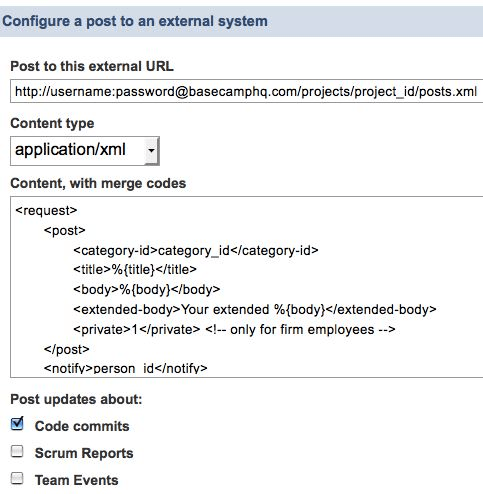
This is a really important idea. Today, most of the services that you’d like to weave together to enhance distributed teamwork don’t export event hooks. But it’s quite simple to do. Here’s how Assembla enables you to relay events to Basecamp:

It takes two to do this tango. The external system, in this case Basecamp, has to be prepared to catch an incoming REST call. And Assembla has to enable its users to wire internal events to outbound REST calls.

Neither requirement is difficult. And the payoff can go way beyond the basic pub/sub notification scenario shown here, as noted in the Web Hooks blog:

Thanks to CGI we got the read-write web, but we also made the web way more useful than it was intended. Suddenly browsing to a URL would run some code. And code…well, code can do anything.

Yes. That said, simple notification is nothing to sneeze at. That alone, widely implemented, would be a game changer.

The iCalendar validation project

Last month, in a series of entries, I laid out the case for an effort — inspired by the RSS/Atom feed validator — to create a similar suite of tests and tools for iCalendar feeds.

I’m delighted to report that two developers of libraries that support iCalendar are collaborating to do just that. Ben Fortuna is the author of iCal4j, which powers the best currently-available online iCalendar validator. And Doug Day is the author of DDay.iCal, a C# iCalendar library. Both iCal4j and DDay.iCal are open source projects.

They’re collaborating, at icalvalid.wikidot.com, on a platform-neutral suite of tests that can serve as foundation for a more robust iCalendar validation service.

As Sam Ruby points out:

For each of the red entries on that page, somebody needs to identify what should be tested for, and for each test identify a short message, an explanation, and a solution. Identifying real issues that prevent real feeds from being consumed by real consumers and describing the issue in terms that makes sense to the producer is what most would call value.

We’ve made a start on the wiki. As I proceed with my calendar aggregation project, I’ll continue to document the validation issues I run into. Meanwhile, in the spirit of loosly-coupled collaboration, please feel free to attach the tag icalvalid to any blog posting, forum message, or other online item that discusses iCalendar feeds that fail to validate, explores reasons why, and recommends solutions.

A conversation with Phil Long about teaching and learning

On this week’s Innovators podcast I spoke with Phil Long. He runs the newly-formed Center for Educational Innovation and Technology (CEIT) at the University of Queensland, in Australia. Phil is a transplant from MIT, where he was closely involved in the TEAL (technology-enhanced active learning) project. TEAL was the subject of a recent New York Times story: At MIT, Large Lectures are Going the Way of the Blackboard.

Born of John Belcher’s frustration that his large physics lectures were drawing fewer and fewer students each year, the TEAL experience mixes lecture segments with realtime interactive feedback (“clickers”) and guided teamwork.

Although the word technology is embedded in both TEAL and CEIT, it’s worth noting that sociology belongs there too. As Tim Fahlberg pointed out when I interviewed him about mathcasts and clickers, the technology that enables teachers to conduct realtime quizzes –and thereby adapt presentations on the fly — isn’t only about efficient measurement of what you could gauge roughly by a show of hands. The responses gathered by clickers are anonymous, and that makes all the difference. Nobody wants to raise a hand when asked: “Who didn’t understand that?”

Team formation is another area where technical and social engineering can usefully converge. If you test students before a course starts, Phil says, you can use that data to divide them into groups. But what heuristic should apply? He advocates teams of three drawn from the low-, middle-, and high-scoring groups. That arrangement encourages the most knowledgeable students to help teach their peers, and in so doing reinforce their own knowledge.

Phil points out that TEAL has so far been applied only in the domain of physics, where it has benefited from a wealth of research data about how students learn physics concepts. Part of CEIT’s mission will be to find ways to map the TEAL approach to other scientific domains, and also more broadly.

Alternative logging for Azure services

Some people say that cloud services are just web services rebranded. Since I’ve always defined web services inclusively, I tend to agree. But I do think that the emerging notion of cloud computing leads us toward greater abstraction of resources. And as I build out the Azure service described in this series, one of the resources I’m abstracting more than ever is the file system.

I’ve built online services for many years, and have always been aggressive about logging everything they do. Detailed logs assure me that things are working well, or help me figure out why they’re not.

My services have always done logging in the grand Unix tradition: They append lines of text to log files. I probe those files using tools like tail (to peek at the end) and grep (to search).

You can’t do things that way in the Azure cloud. True, the default logging mechanism writes to blobs, which are the moral equivalent of named files containing arbitrary streams of bytes. But your service can’t just open the log and append to it. Instead it calls a method, RoleManager.WriteToLog, that sends a message to the log. And in order to peek at the most recent entries, or search the log, you have to download one or more quarter-hourly blobs, then parse the XML records inside them.

So instead I’m using a cloud database. Or actually, three of them. One is Amazon’s SimpleDB, the second is the SQL Server-based SQL Data Services, and the third is Azure’s table storage. I figure my service will generate a lot of real data over the long haul, and it’ll be interesting to compare these services as they evolve and grow — and as the types and quantities of data I’m logging grow along with them.

In all three cases my pattern is the same. For each service, I’m wrapping a thin C# library around the HTTP/REST interface. The existing wrappers I’ve found, for Azure and SQL Data Services in particular, tend to hide the HTTP/REST interfaces. But I want to be able to see and touch them.

When I’m developing software that relies on a web-based infrastructure service, I want to be able to access that service in as many ways as I can. When I get stuck I can drop down to the HTTP level, and there I can triangulate on a problem in many complementary ways: from the command line using curl, from Python, from C#, from an HTTP sniffer.

Another pattern common to all three logging mechanisms is mixed use of statically- and dynamically-typed languages. Although I’ve written these interface libraries in C# in order to deploy on Azure, I use them from both C# and Python. When my Azure-based service logs its activities, it invokes the structured-storage interfaces from C#. But I invoke the same interfaces from IronPython to view, query, and analyze the logs. And if IronPython becomes a service provider on the Azure platform, as I hope it will, I’ll invoke the same interfaces again to write, as well as read, the logs created by those services.

So, for example, the current version of my SQL Data Services interface library is here. (Corresponding tests here.)

This is the method that writes a log message:

public static void sds_write_log_message(string type, string message, 
    string data)
  {
  var dt = Utils.XsdDateTimeFromDateTime(DateTime.Now);
  sds_flex_entity[] entities =
    {
    new sds_flex_entity("type","string",type),
    new sds_flex_entity("message","string",message),
    new sds_flex_entity("datetime","dateTime",dt),
    new sds_flex_entity("data","string", data != null ? data : "")
    };
 
string id = "id_" + System.DateTime.Now.Ticks.ToString();
var sr = create_entity("elmcity","events", "Event", id, entities);

And here’s create_entity which invokes the REST API:

public static sds_response create_entity(string authority, 
    string container, string entityname, string entityid, 
    sds_flex_entity[] entities)
  {
  byte[] payload = make_sds_entity_payload(entityname, entityid, 
    entities);
  var response = DoSdsRequest(authority, container, null, "POST", 
    payload);
  return get_sds_response(response, false, entityname, null, null);
  }

The container for this set of records is called events, and it lives in an authority called elmcity, so the request URI will be https://elmcity.data.database.windows.net/v1/events, and the body of the HTTP POST request will look like this:

<s:Event xmlns:s='http://schemas.microsoft.com/sitka/2008/03/'>
<s:Id>id_012345</s:Id>
<type xsi:type='x:string'>exception</type>
<message xsi:type='x:string'>DoHttpRequest: ProtocolError</message>
<datetime xsi:type='x:dateTime'>2009-01-29:T12:42:01</datetime>
<data xsi:type='x:string'>400 Bad Request</data>
</s:Event>

Here’s the method that queries a container and returns a package of results:

public static sds_response query_entities(string authority, 
    string container, 
  bool in_ns, string entity, List<string> entitynames, string query)
  {
  var response = DoSdsRequest(authority, container, query);
  return get_sds_response(response, in_ns, entity, entitynames, null);
  }

In the current version of the SQL Data Services query syntax, here’s how you ask for recent log entries:

from e in entities 
  where e["datetime"] >= "2009-01-29:T14:00:00" 
  orderby e["datetime"] ascending 
  select e

Here’s the method to transmit that query to SQL Data Services:

public static sds_response query_entities(string authority, 
    string container, bool in_ns, string entity, 
    List<string> entitynames, 
    string query)
  {
  var response = DoSdsRequest(authority, container, query);
  return get_sds_response(response, in_ns, entity, entitynames, null);
  }

The HTTP request again goes to https://elmcity.data.database.windows.net/v1/events, but this time it’s a GET not a POST, and the full URI ends with “?q=” plus the “from e in entities…” query from above.

The HTTP response is a sequence of XML packets like the <Event>...</Event> example shown above, filtered and ordered by the query. The query_entities method transforms those into a list of name/value collections.

That list of collections is accessible from C# code running inside the Azure service, but equally accessible from IronPython running outside Azure. Here’s an IronPython script that finds events logged within the last 2 hours whose error messages contain ‘400’:

import clr
clr.AddReference("CalendarAggregator")
from CalendarAggregator import *
import System

sds = SdsStorage()

flexentities = ('type','message','datetime','data')
_flexentities = System.Collections.Generic.List[str](flexentities)

dt = System.DateTime.Now
dt_diff = System.TimeSpan.FromHours(2)
dt_str = Utils.XsdDateTimeFromDateTime( dt - dt_diff )

q = 'from e in entities where e["datetime"] >= "%s" orderby \
      e["datetime"] ascending select e' % dt_str

sr = SdsStorage.query_entities("elmcity","events", False, \
  "Event", _flexentities, q )

results = filter ( lambda x: x['data'].startswith('400'), sr.response )

for d in results:
  print d['type'],d['message'],d['datetime'], d['data']

The details of the SQL Data Services query syntax aren’t important here. What matters is the strategy:

  1. Make a thin wrapper around the REST interface to the query service
  2. Use the available query syntax to produce raw results
  3. Capture the results in generic data structures
  4. Refine the raw results using a dynamic language

You can use this strategy with any of the emerging breed of cloud databases.

A conversation with Andy Boutin about Pellergy’s oil-to-pellet furnace retrofit

My guest for this week’s Innovators podcast is Andy Boutin. I first heard from Andy when he made this comment on my December 2007 entry about biomass heating. Then his name came up again in my conversation with Jock Gill. Clearly I had to interview Andy too.

His method of retrofitting an oil furnace with an alternative pellet combustion system will be of special interest to a certain number of folks in the northeastern United States. But the pragmatic systems engineering approach that he took is a model for a lot of other innovations that can, and will, move us forward in the years to come. Yankee ingenuity is about to make a major comeback, and not a moment too soon.

Unifying HTTP success and failure in .NET

In an earlier installment of the azure+elmcity series I griped about some inconsistencies in how the .NET Framework deals with HTTP:

The .NET equivalent to Python’s httplib, for example, is the HttpWebRequest/HttpWebResponse pair. But these APIs differ from those provided by httplib in a couple of ways that annoy me.

First, there’s an inconsistency in the way headers are handled. You get and set most headers using the Headers collection. But you get and set a few special ones, like Content-Type and Content-Length, using special named properties.

Second, status codes are handled inconsistently. Most responses return status codes. But for codes in the 4xx series, an exception is thrown.

To me these behaviors are quirks that make it trickier to use RESTful interfaces.

The exceptions, in particular, make it much harder to write tests. When I test the method that puts a blog into the Azure blob store, for example, I expect success, and here’s how I express that expectation:


Assert.AreEqual(HttpStatusCode.Created, response.normal_status);

But when I test the method that creates a public container, I expect failure if the container already exists. Here’s how I express that expectation:


Assert.AreEqual(WebExceptionStatus.ProtocolError, response.exception_status);

In order to deal with successes and failures in uniform way, I created an http_response_struct that encapsulates both, and a method that performs a web request and returns a structure of that type.

The code, in its current form, appears below. I present it here for two reasons. First, because it may be of value to others. But second, because others have surely done this in better and more general ways. I’m hoping this entry will attract pointers to some other simple but effective implementations of this idea.


public struct http_response_struct
  {
  public HttpStatusCode normal_status;
  public WebExceptionStatus exception_status;
  public string message;
  public byte[] data;
  public string data_as_string;
  public Dictionary<string, string> headers;

  public http_response_struct(HttpStatusCode normal_status, 
      WebExceptionStatus exception_status, string message, byte[] data, 
      string data_as_string, Dictionary<string, string> headers)
    {
    this.normal_status = normal_status;
    this.exception_status = exception_status;
    this.message = message;
    this.data = data;
    this.data_as_string = data_as_string;
    this.headers = headers;
    }
  }


public static http_response_struct DoHttpWebRequest(HttpWebRequest request, 
    byte[] data)
  {
  request.AllowAutoRedirect = true;
  HttpStatusCode normal_status;
  WebExceptionStatus exception_status;
  string message = "";
  request.ContentLength = 0;
  Dictionary<string, string> headers = new Dictionary<string, string>();

  if (data != null && data.Length > 0)
    {
    request.ContentLength = data.Length;
    var bw = new BinaryWriter(request.GetRequestStream());
    bw.Write(data);
    bw.Flush();
    bw.Close();
    }

  byte[] return_data = new byte[0];
  string return_data_as_string = "";

  try
    {
    HttpWebResponse response = (HttpWebResponse)request.GetResponse();
    normal_status = response.StatusCode;
    exception_status = new WebExceptionStatus();
    message = response.StatusDescription;
    foreach (string key in response.Headers.Keys)
      headers[key] = response.Headers[key];
    get_response_data(request, ref return_data, ref return_data_as_string, 
      response);
    response.Close();
    }
  catch (WebException e)
    {
    exception_status = e.Status; 
    normal_status = new HttpStatusCode();
    message = string.Format("{0} {1}", exception_status.ToString(), 
      e.Message);
    get_response_data(request, ref return_data, ref return_data_as_string, 
      (HttpWebResponse) e.Response);
    string logmsg = string.Format("DoHttpRequest ({0}): {1}", request.RequestUri, 
      message);
    write_log_message(logmsg);
    }

  return new http_response_struct(normal_status, exception_status, 
    message, return_data, return_data_as_string, headers);
  }

Transparency data in motion

I wondered how the Transparency International data I visualized here (and also discussed here) would behave in a GapMinder-style animation. So I poured the data into a Google motion chart. You can check out the results here.

As I mentioned the other day, one of the notable anomalies in this dataset is Georgia. Among countries whose CPI (Corruption Perception Index) rankings are most volatile (according to TI), it stands out as a hopeful data point moving in the right direction.

In these two frames, you can see Georgia pulling away from its neighbors between 2004 and 2008.

The motion chart is an interesting way to observe the anomaly, but I didn’t find it to be a useful way to discover it. In the earlier example, I made a stack of sparklines, sorted by volatility, and then eyeballed the trends looking for exceptions.

To approximate that method using the motion chart, I started with this view:

Plotting volatility against itself produces the same sorted view I had in my spreadsheet. I figured I’d select the cluster of most-volatile countries, then watch them bubble up and down. But the points overlapped too much to select all the ones I wanted.

Next I plotted volatility against rank, which doesn’t really make sense but had the effect of spreading out the points so I could select more of them:

That helped a bit, but I still couldn’t easily grab, e.g., the most-volatile third of the list.

Does this mean that motion charts work better for displaying patterns than for discovering them? Not necessarily. I think it all depends on the data, the patterns you think you’re looking for, and the patterns you don’t know you’re looking for. With more lenses — and more easily interchangeable lenses — our exploratory and explanatory powers will grow.

A conversation with Bob Jennings about new ways to heat with wood

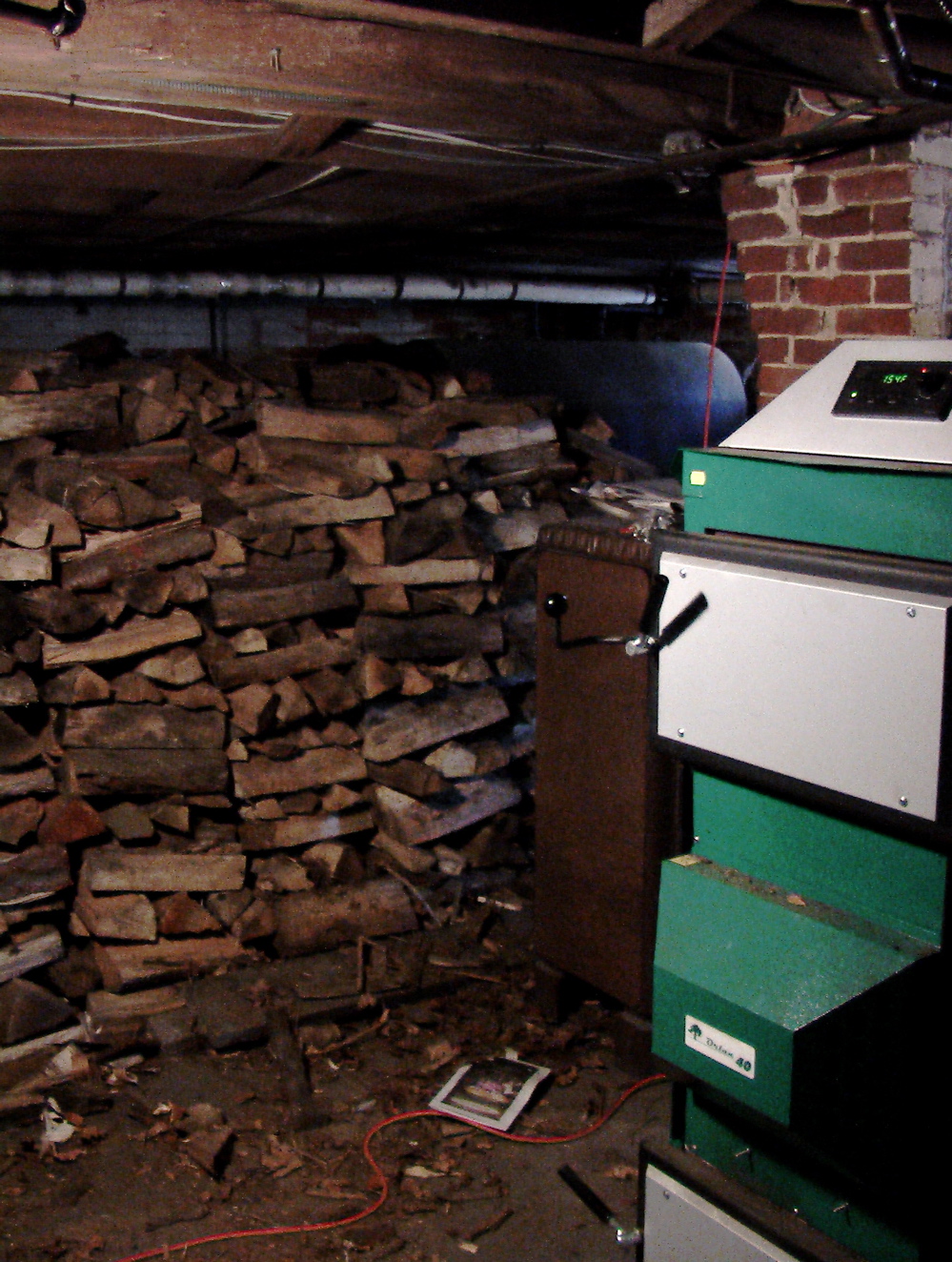
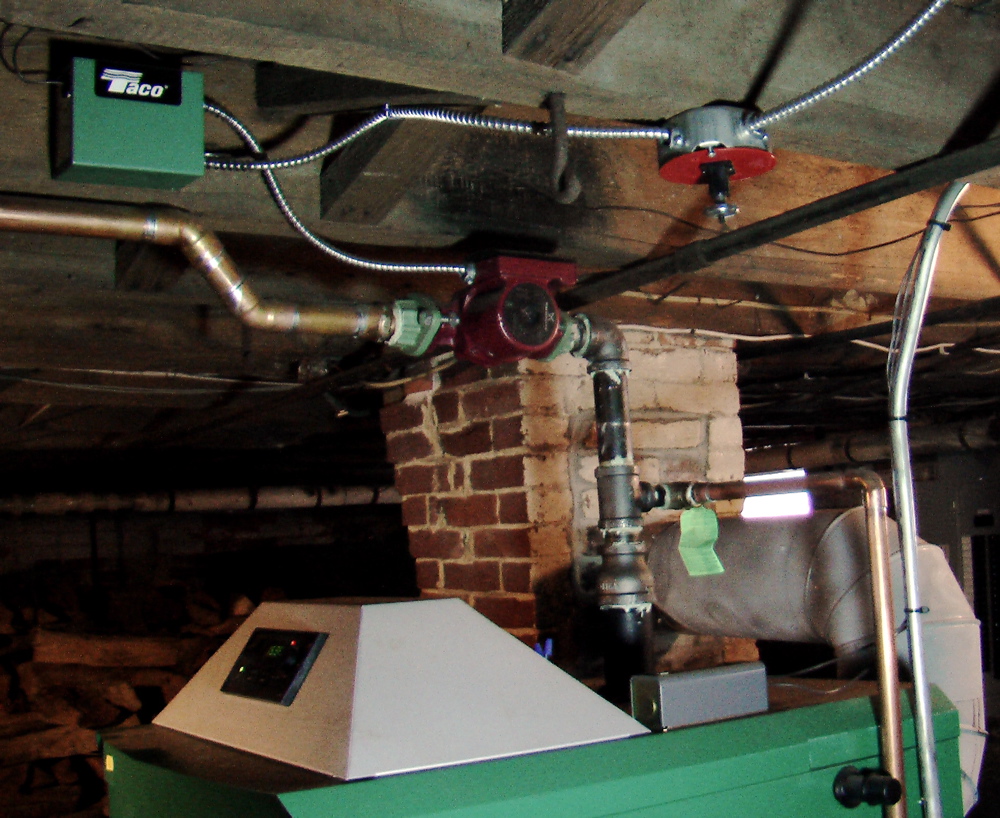
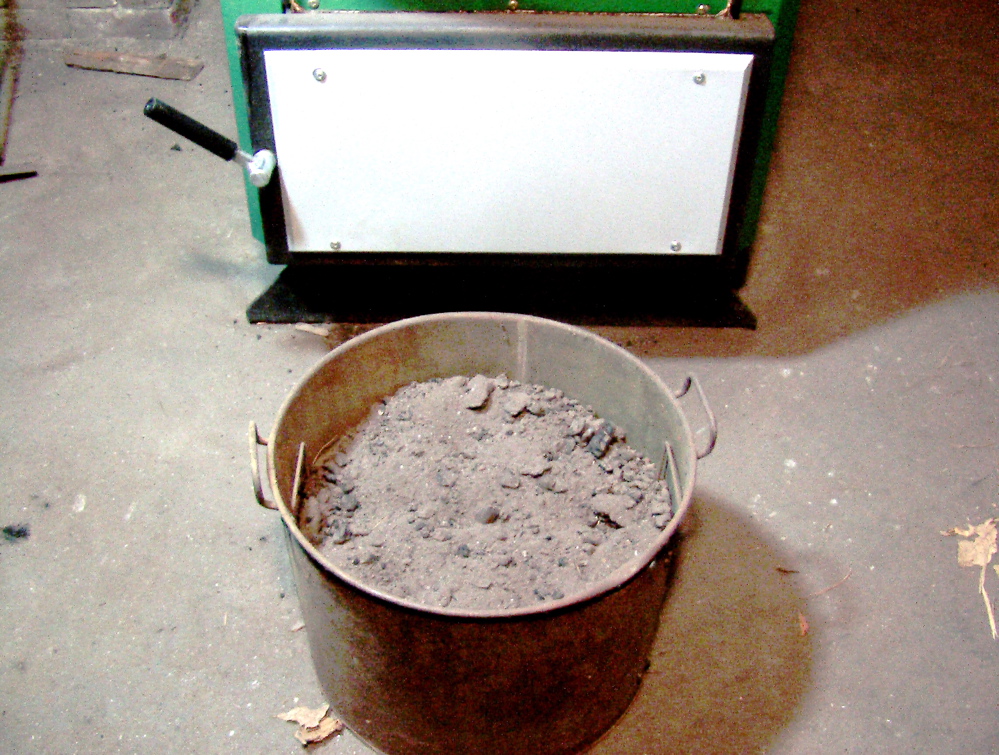
On this week’s podcast I spoke with Bob Jennings, an engineer who specializes in alternative heating systems. In his view, the sun and the forests are major sources of practical renewable energy for New England’s near future. He designs and installs solutions based on solar hot water, and also on wood gasification boilers like the one whose installation and use I described here.

Most experts agree that we’ll need to replace oil with a mix of renewable sources. In regions where wood biomass is an important ingredient in that mix, we’ll need modern technologies that burn the stuff cleanly and efficient. Bob Jennings reflects on existing and emerging options: pellet stoves, pellet boilers, and wood gasification boilers.

SOA: Slouching towards Bethlehem

I’m providing COBRA Continuation Health Coverage to a family member who’s no longer eligible under my company health insurance plan. Three months ago I signed up for the plan, and separately arranged for automatic payment.

Yesterday I was notified that the administration of this COBRA continuation service was sold by one company and bought by another. So of course, now I have sign up again, and arrange for automatic payment again.

Really?

This is how I know that SOA (service-oriented architecture) is not dead, but rather slouching towards Bethlehem to be born.

Yesterday’s call:

Agent: You’ll need to log in to the website and then, using the account number and PIN in the letter we sent …

Me: Hold on a second. I didn’t ask company A to sell the administration of service B to company C. I don’t even want to know that it happened. I only care that the health coverage continues, and that A — excuse me, C — gets paid. I shouldn’t have to create any new online accounts. But I have the sinking feeling that I will have to.

Agent: Yes, sir, I’m afraid you will.

A service handoff like this could be, and should be, nearly transparent to the customer. It’s doable. But it will require a few layers of secure intermediation and delegation. Call it SOA, call it whatever you like. But so long as we keep having these inane conversations, don’t call it dead.

Transparency trends (continued): A data-wrangling tale

As promised yesterday, here’s a detailed account of the gymnastics required to extract usable data from Transparency International’s Corruption Perception Index (CPI) reports.

The reports are published as yearly editions for each of the 11 years since 1998. They’re not consolidated, at least not anywhere I can find, so if you want to analyze trends in the TI data you’ve got to consolidate those reports yourself.

The yearly reports are available as both HTML tables and corresponding Excel spreadsheets. I didn’t know about the latter. The website is organized such that for the recent years I examined first, only the HTML table is obviously available. So the procedure I’ll show here wasn’t strictly necessary. I could have gone straight to the Excel files.

But in the end it’s the same data, and all the subsequent processing is necessary in either case. So I’ll take this opportunity to show how to use Excel to extract data from an HTML table. That’s a really common operation if you’re into this sort of thing, and Excel does it pretty well.

Here’s part of the 2005 CPI table:

TI 2005 Corruption Perceptions Index

Country rank Country 2005 CPI score Confidence range Surveys used***

1

Iceland 9.7 9.5 – 9.7 8
2 Finland 9.6 9.5 – 9.7 9
New Zealand 9.6 9.5 – 9.7 9
4 Denmark 9.5 9.3 – 9.6 10

To import it into Excel 2007, first visit the page and capture its URL.

Then, in Excel, do Data -> From Web -> From Web (Classic Mode), navigate to the table you want, click the arrow at its top left corner, and click Import.

That was the easy part. Before long, I had a spreadsheet with 11 CPI reports. To simplify things, I stripped each one down to just two columns: country name and CPI rank. I wanted to see trends in the ranking over time. To do that, I needed to merge the 11 sheets into a single sheet with a column of normalized names, and 11 columns of normalized ranking data.

The names had to be normalized for a couple of reasons. First, there were six different encodings of Côte d´Ivoire:

C\xC3\xB4te d\xC2\xB4Ivoire
Cote d'Ivoire
C\xF4te-d'Ivoire
Cote d\xB4Ivoire
Cote d?Ivoire
C\xF4te d\xB4Ivoire

There were also typos (Moldovaa for Moldova) and variant spellings (USA vs United States)

The rankings had to be normalized because sometimes countries are tied for a rank. In those cases (as above) some of the files were sparse, with empty cells for repeated ranking. In other cases, all cells were populated.

To do this normalization I exported the data from Excel to 11 CSV files, and used the following Python script:

import csv

r98 = csv.reader(open('cpi1998.csv'))
r99 = csv.reader(open('cpi1999.csv'))
r00 = csv.reader(open('cpi2000.csv'))
r01 = csv.reader(open('cpi2001.csv'))
r02 = csv.reader(open('cpi2002.csv'))
r03 = csv.reader(open('cpi2003.csv'))
r04 = csv.reader(open('cpi2004.csv'))
r05 = csv.reader(open('cpi2005.csv'))
r06 = csv.reader(open('cpi2006.csv'))
r07 = csv.reader(open('cpi2007.csv'))
r08 = csv.reader(open('cpi2008.csv'))

def fix(c):
  c = c.replace('(Former Yugoslav Republic of)','')
  c = c.replace('Congo, Republic of','Congo, Republic')
  c = c.replace('Congo, Republic the','Congo, Republic')
  c = c.replace('Dominican Rep.','Dominican Republic')
  c = c.replace('Dominican Rep\n','Dominican Republic\n')
  c = c.replace('FYR ','')
  c = c.replace('Saint Vincent and the','Saint Vincent')
  c = c.replace('Saint Vincent and','Saint Vincent')
  c = c.replace('Macedonia ','Macedonia')
  c = c.replace('Moldovaa','Moldova')
  c = c.replace('Serbia and Montenegro','Serbia')
  c = c.replace('Palestinian Authority','Palestine')
  c = c.replace('the Grenadines','Grenadines')
  c = c.replace('&','and')
  c = c.replace('USA','United States')
  c = c.replace('Viet Nam','Vietnam')
  c = c.replace('Slovak Republic','Slovakia')
  c = c.replace('Kuweit','Kuwait')
  c = c.replace('Taijikistan','Tajikistan')
  c = c.replace('Republik','Republic')
  c = c.replace('Herzgegovina','Herzegovina')
  c = c.replace("Ivory Coast",'C\xC3\xB4te d\xC2\xB4Ivoire')
  c = c.replace("Cote d'Ivoire",'C\xC3\xB4te d\xC2\xB4Ivoire')
  c = c.replace("C\xF4te-d'Ivoire", 'C\xC3\xB4te d\xC2\xB4Ivoire')
  c = c.replace('Cote d\xB4Ivoire', 'C\xC3\xB4te d\xC2\xB4Ivoire')
  c = c.replace('Cote d?Ivoire', 'C\xC3\xB4te d\xC2\xB4Ivoire')
  c = c.replace('C\xF4te d\xB4Ivoire', 'C\xC3\xB4te d\xC2\xB4Ivoire')
  return c

d = {}
rnum = -1
lastrank = None

for reader in [r98,r99,r00,r01,r02,r03,r04,r05,r06,r07,r08]:
  rnum += 1
  for row in reader:
    rank = row[0]
    if rank == '':         # normalize rank
      rank = lastrank
    lastrank = rank
    country = fix(row[1])  # normalize name
    if not d.has_key(country):
      d[country] = [0,0,0,0,0,0,0,0,0,0,0]
    d[country][rnum] = rank
   
keys = d.keys()
keys.sort()

for key in keys:
  print "%s\t%s\t%s\t%s\t%s\t%s\t%s\t%s\t%s\t%s\t%s\t%s" % 
    ( key, d[key][0],d[key][1],d[key][2],d[key][3],
           d[key][4],d[key][5],d[key][6],d[key][7],
           d[key][8],d[key][9],d[key][10] )

As you can see, the bulk of this script is really just data, in the form of search/replace pairs. Its output is another CSV file. It took me a few tries to reduce the list of names to a normalized core. I ran the script, took the output into Excel, eyeballed the list, and added new search/replace pairs.

Eventually I wound up with this data, which I brought back into Excel to explore. Because I wanted to look at what I’m calling volatility — that is, the variability in CPI rankings — I added a column that computes the difference between a country’s highest and lowest rankings over the 11-year period, and then sorts countries by that difference, from most to least volatile.

We can debate whether a stack of sparklines is a useful way to visualize trends in this data, but that’s the approach I decided to try. It gave me a chance to experiment with some of the sparkline kits available for Excel, and the one I settled on is BonaVista’s MicroCharts.

Here’s a picture of two chart styles I tried:

These microcharts do succeed in telling stories about each country individually, while also making it possible to notice that Georgia, atypically among the more volatile countries, is moving toward a lower (better) ranking.

In another variation on this theme, I flipped the rankings to their negative counterparts so that the charts would flip too, and would correspond to my natural sense that up means better and lower means worse. I also removed the zeroes so that they wouldn’t show up as data points.

That was good enough for my purposes, but when I converted the spreadsheet back to HTML I wasn’t happy with the results. That’s partly because the microcharts, which are rendered using TrueType fonts, had to be converted to lower-resolution images. And it’s partly because the HTML that Excel generated was too complicated for my WordPress blog to handle gracefully.

So I exported the enhanced data back out to a CSV file, and switched to Python again. There are a million ways to generate sparklines from data, but the one I remembered from a previous encounter was Joe Gregorio’s handy sparkline service.

(By the way, it should be possible to use that web-based service from Excel. And interactively, you can. If you capture a sparkline URL like this one, you can paste it into the File Open dialog presented by Excel’s Insert -> Picture feature. The dialog asks for a filename, but you can give it an URL and it’ll work.

When I realized that, I spent a few minutes trying to automate the procedure so that Excel 2007 could programmatically grab data, run it through an image-generating web service, and embed the resulting pictures. I failed, as have others before me, but it’s nifty idea. If you know the solution, please share.)

Anyway, here’s the little Python script that reads the data, produces sparkline images, and embeds them in the HTML table I displayed on my blog:

# -*- coding: utf-8 -*-
import urllib2,os

data = open('cpi.csv').read()

url_template = "http://bitworking.org/projects/sparklines/spark.cgi?\
  type=discrete&d=%s&height=20&limits=0,200&upper=1&\
  above-color=black&below-color=white&width=4"

rows = ''
row_template = """<tr>
<td class="sparkline">
<img src="http://jonudell.net/img/cpi/%s">
</td>
<td>%s</td></tr>\n"""

lines = data.split('\n')
for line in lines:
  country = line.split(',')[0]
  ranks = line.split(',')[1:]
  quoted_fname = '%s.png' % urllib2.quote(country)
  fname = '%s.png' % country
  imgurl = url_template % ranks
  cmd = 'curl "%s" > "./cpi/%s" ' % (imgurl,fname)
  os.system(cmd)
  cmd = 'mogrify -flip "./cpi/%s"' % fname
  os.system(cmd)
  rows += row_template % (quoted_fname,country.replace(' ','&nbsp;'))

html = '<table cellspacing="4">%s</table>' % rows
f = open('cpi.html','w')
f.write(html)

By specifying upper=1 and below-color=white in the sparkline-generating URL, the zeroes (representing unreported data) vanish from the charts.

The charts don’t include reference lines as shown in the Excel screenshot, but I added them back using this bit of CSS:

td.sparkline {
border-top:1px #cccccc solid;
}

I’m using Python here partly as a shell language. It invokes a pair of command-line utilities: cURL to download images, and mogrify (part of the ImageMagick suite) to flip them.

Although one of these commands is a cloud-based sparkline service, and the other is a locally-installed image processing program, they’re treated in exactly the same way. When the quantities of data involved are small — these .PNG images are just a few hundred bytes — there’s no discernible difference between the two modes. I like that symmetry.

What I don’t like is all the moving parts. It’s awkward for me to move from Excel to Python to Excel to Python, with excursions to the command line along the way, and no normal person would even consider doing that.

In a simple case like this, such gymnastics should never have been required. If you’re going to publish data to the web, assume that people will want to use it and do the minimal basic hygiene and consolidation.

At some point, though, people will want to do fancier tricks. Today you have to be a “data geek” to perform them, but that shouldn’t be so. We’ve got to find a way to integrate Excel, dynamic scripting, command-line voodoo, and web publishing into a suite of capabilities that’s much more accessible.

Transparency trends

Zimbabwe
Belarus
Uzbekistan
Côte d´Ivoire
Venezuela
Laos
Haiti
Philippines
Kazakhstan
Syria
Ethiopia
Ecuador
Kenya
Russia
Malawi
Azerbaijan
Angola
Nicaragua
Pakistan
Bangladesh
Nigeria
Zambia
Mozambique
Gambia
Sudan
Georgia
Iraq
Ukraine
Belize
Guatemala
Indonesia
Iran
Egypt
Honduras
Papua New Guinea
Paraguay
Afghanistan
Mongolia
Argentina
Cameroon
Bolivia
Uganda
Yemen
Jamaica
Moldova
Myanmar
Swaziland
Vietnam
Kyrgyzstan
Trinidad and Tobago
Albania
Congo, Republic
Sierra Leone
Benin
Dominican Republic
Macedonia
Morocco
Panama
Sri Lanka
Mali
Nepal
Suriname
Burkina Faso
Lebanon
Mauritania
Congo, Democratic Republic
Rwanda
Tonga
Cambodia
Somalia
Brazil
Saudi Arabia
Timor-Leste
Armenia
Eritrea
Namibia
Senegal
Turkmenistan
Central African Republic
Peru
Chad
Maldives
Poland
Tanzania
Tunisia
Kuwait
Palestine
Colombia
Yugoslavia
Burundi
Costa Rica
Bulgaria
Croatia
Oman
Serbia
Tajikistan
Turkey
China
Italy
Libya
Romania
Thailand
El Salvador
India
Bosnia and Herzegovina
Cuba
Niger
Gabon
Greece
Latvia
Lesotho
Lithuania
South Africa
Togo
Mauritius
Mexico
Dominica
Equatorial Guinea
Ghana
Bahrain
Uruguay
Israel
Malaysia
Czech Republic
Macao
Hungary
Jordan
Madagascar
Algeria
Botswana
Seychelles
Bhutan
Grenada
Guinea
Liberia
Belgium
Cyprus
Kiribati
Slovakia
Taiwan
Comoros
Guinea-Bissau
Malta
Portugal
Vanuatu
Qatar
South Korea
Canada
Estonia
Guyana
Ireland
Slovenia
Japan
Norway
Spain
United Arab Emirates
Austria
France
Switzerland
Chile
Germany
Iceland
Luxembourg
United Kingdom
United States
Australia
Samoa
Sweden
Finland
Hong Kong
Netherlands
Barbados
Denmark
Djibouti
New Zealand
Saint Lucia
Sao Tome and Principe
Singapore
Cape Verde
Grenadines
Saint Vincent
Solomon Islands
Montenegro
Fiji
Puerto Rico

Since 1998, Transparency International has published an annual report called the Corruption Perception Index (CPI), which “ranks 180 countries by their perceived levels of corruption, as determined by expert assessments and opinion surveys.” Looking at the 2008 edition, I wondered about trends. Which countries have shown the most CPI volatility since 1998? Is there a trend toward light or darkness? If so, which countries run counter to the trend, and why?

The table of sparklines shown here presents a rendering of the data in a way that allows us to ask, and begin to answer, such questions. It defines CPI volatility as the difference between a country’s highest and lowest CPI ranking over the 11-year period, and sorts countries from most to least volatile. Sparklines chart this data under a reference line, and distance from that line signifies descent into darkness.

To answer one of my questions, Bangladesh, Nigeria, Georgia, and Guatemala stand out — among the most volatile countries — as atypically hopeful amidst a general downhill slide. That, anyway, is what Transparency International’s data seems to indicate.

I’ll leave it to political experts to weigh in on the plausibility of that interpretation. Here I’ll just ask a more basic question. We see tables, maps, and charts — like the ones published by Transparency International — all over the web. But in my experience, when you try to actually use the data, it’s almost always way too hard.

In a later entry I’ll describe, in gory detail, the gymnastics required to massage the TI data and produce this visualization. But just to give you a hint, here are the six different ways of encoding Côte d´Ivoire that I found in the eleven files I had to merge:

C\xC3\xB4te d\xC2\xB4Ivoire
Cote d'Ivoire
C\xF4te-d'Ivoire
Cote d\xB4Ivoire
Cote d?Ivoire
C\xF4te d\xB4Ivoire

There were also typos (Moldovaa for Moldova), variant spellings (USA vs United States), and format inconsistencies (empty vs. non-empty cells when a rank is repeated).

Why go to all the trouble to gather and publish this kind of data, and then not consolidate it into a form we can use directly?

A conversation with @psnh about the ice storm, social media, and customer service

On this week’s ITConversations show I asked Martin Murray, who is chief spokesperson for Public Service of New Hampshire — and @psnh on Twitter — to tell the story behind this atypical pattern of Twitter followers:

The quantum jump occurs on December 13, and corresponds to the epic ice storm on December 11/12. The storm temporarily knocked the majority of New Hampshire’s homes and businesses off the power grid, and for many the outage lasted days or even weeks.

When I visited the Public Service of New Hampshire website to check on the status, I was delighted to find Martin’s Twitter feed. Gary Lerude had anticipated my question:

@psnh How about an online map showing the areas without power? We could see the progress of the crews as the power is restored.

Three minutes later Martin replied:

@garylerude Good idea – working on it!

I thanked @psnh for the response, and for the company’s ongoing restoration efforts, and added:

@psnh Incidentally if you need help publishing your data online and creating maps, lots of us here are good at that and happy to help.

The response:

@judell Yes, ur google map screencast of Keene walking tour comes to mind. We may follow up on ur offer!

Whoa. This is definitely not how your grandfather’s utility company handles public relations!

In this interview we discuss Martin’s use of social media in the wake of the storm. Of course he has been interviewed elsewhere and more prominently on that subject. So I also asked Martin to reflect on how business-as-usual may change going forward.

Of special interest to me is the portion of that chart beyond Dec 13. True, the follower count has plateaued. But it hasn’t plummeted, and won’t, because it costs followers nothing to stay tuned in to a quiescent channel. If PSNH uses that channel judiciously from now on, I’ll stay tuned in. If the channel annoys me, I can silence it. That’s analogous to unsubscribing from an email newsletter, but better from my perspective because the unsubscribe mechanism is obvious, uniform, immediately effective, and fully under my control.

How will PSNH use this channel for normal, non-crisis operations? Martin thinks that customer service with a human voice is the way forward, and I violently agree.

Consider this exchange:

@psnh tweets: “Explanation/options re high ‘estimated’ bills sent to some customers: http://tinyurl.com/8de4kl”

@sjudd tweets: “The real question is why are the estimated bills higher than expected? Will you tell us later if any estimate was lower than actual?”

@psnh replies by direct message (quoted with permission of both parties): “I doubt any est bills were lower than expected. Computer based it on Dec 07 usage. Apologies for the error!”

That’s what customer service used to be and — let’s hope — will be again.


Update: Here’s a similar effect produced by the February 2010 wind storm:

In Dec 2008, @psnh went from zero to almost 2000 followers as a result of an epic ice storm. A year later the count had crept up to 2600. Then 2010’s epic wind storm spiked it to 4000.

To put these seemingly dramatic numbers in context, though, both storms created outages for more than half the company’s customers. New Hampshire is a small state, with population of only 1.3 million, but even so these storms affected on the order of half a million people. Yet even now @psnh is reaching fewer than one percent of them.

Central heating with a wood gasification boiler

A little over a year ago I wrote a popular item on the dilemma of New Englanders who depend on oil for home heating. The pellet stove insert I’d installed in the living room fireplace a few years before was helping, but there was no way to distribute that heat. As oil shot past $100/barrel on the way to $140 it was clear I needed to find another way to fuel our hydronic central heating system.

My research led me to a couple of options. First, a pellet boiler. Second, a wood gasifier. I chose the gasifier mainly to diversify my sources. Although I expect that wood pellets will remain available and attractively priced relative to oil, I didn’t want to make another bet on a commodity whose price I can’t control. I don’t produce the firewood that my gasifier burns, but if I had to, I could. A couple of crazy winters riding the oil-heat rollercoaster left me craving that assurance.

After further research and consultation, I settled on the EKO wood-fired boiler. It’s made in Poland by Eko-Vimar Orlanski, imported into the U.S. by New Horizon, and sold locally here in southern New Hampshire by Mechanical Innovations.

In May 2008 I bought an EKO-40 boiler. It arrived on a pallet a few weeks later, and was unloaded into my garage while I finalized my installation plan. Had I known that process would drag on for six months, I might have reconsidered my decision to inform the City of Keene about my plans, and apply for a permit.

But despite the incredible hassle I described here, I’m glad I did. From the start, I had two goals in mind. One was to make the house affordably warm for the first time in three winters. The other was to be able to write this essay.

Wood gasifiers aren’t new technology. Northern Europeans have used them for many years. But they’re new to the U.S. Most of our city housing officials and our insurance agents don’t know about them. Now mine do, and I hope what I’ve learned will help validate this solution elsewhere.

From the city’s perspective, the issue was code. The main objection was that the code requires U.S. certification (UL, ASME), but the EKO is European-certified (TUV, CE). When I dug further, though, I found that the UL 391 sticker — which the city initially said was needed — doesn’t apply to solid-fuel-fired boilers. What does? UL 2523, a standard that’s currently in development and to which no products are yet certified.

Eventually I engaged an engineer, Mark Vincello, to look at the boiler, confer with my dealer/installer, Bob Jennings, and write the city a letter saying that the boiler was well-made, had been pressure-tested, and would be safely installed.

In October, I finally got my permit. For the record, I want to thank the city’s chief building officer and assistant director, Medard Kopczynski. Like many code-enforcement departments, ours is widely criticized for, among other things, resisting innovation. But although Med had never seen or heard of a residential wood-fired boiler, he was intrigued by the solution, and worked with me to find a way to approve it.

With permit in hand, I contracted Bob Fairbanks to line the chimney I’d be using. He installed an insulation-wrapped flexible liner. The boiler requires an 8″ liner and the chimney is 8″ x 12″, so it was a tight fit, but Bob “ovalized” (squashed) the liner and got it in.

By now it was November and the boiler was still sitting in the garage. The next hurdle, which gave me a few sleepless nights, was moving this 1500-pound beast into the basement, through a narrow entrance under the barn and then across the barn’s muddy floor onto the basement’s cement pad.

1: four eras of heating

It was kinda crazy. In the end it took four of us, a tractor, a pallet jack, a bunch of thick planks, and a bottle of dish soap. The tractor inserted the boiler into the barn. We slid it on soapy planks across the dirt floor, wrangled it onto the pallet jack, and then wheeled it across the cement floor to its current home.

Finally, in early December, Bob did the hookup and we fired it up. It’s been running continuously ever since.

In photo 1 you can see glimpses of all four heating-system eras my 1870 home has known.

The chimney, one of three, originally vented several fireplaces.

The brown box sandwiched between the green-and-white EKO boiler and the woodpile is a coal burner which must have supplemented wood heat at one point.

Then came oil. You can see one of two 250-gallon tanks in the corner behind the woodpile.

And now the EKO boiler, a modern, electronically-controlled device that brings us full circle back to wood.

2: hydronic hookup detail

3: hydronic hookup

Photos 2 and 3 show how the EKO ties into the pre-existing hydronic system. In photo 2 you’re looking at five circuits. Right to left, corresponding to four circulator pumps, are three house zones and a water heater circuit. The leftmost fifth circuit runs through the EKO.

Backing away in photo 3, you can see the EKO on the left, and all five inputs to, and outputs from, the oil burner at bottom right. The EKO is hooked up in series. This costs me some efficiency because, although the oil burner rarely runs, its water jacket soaks up heat. But that may be healthy for it, and though mostly sidelined it’s still a crucial piece of the puzzle.

If the EKO’s water jacket drops below a set temperature — currently 140F — the fossil fuel furnace kicks in automatically. Among other things, that means we can go on vacation without worrying about frozen pipes.

Photo 4 shows parts of the control and safety systems. The green tag is hanging next to a pressure relief valve. If the boiler were to overheat, that valve would open and dump water out onto the floor.

4: relief valve, circulator pump, pump switch

The red circulator pump appears near the center of the photo. The green box at top left activates the circulator when the boiler’s water jacket reaches a threshold currently set at 160F, and then keeps it on until the water temp drops below 140F, at which point the oil burner kicks back on. With the EKO running continuously, the EKO’s circulator can, and does, run for days, idling the oil burner completely.

5: sensor and high-temp cutoff

Photo 5 shows a sensor that’s been placed directly on the boiler’s water jacket through a hole drilled into the top cover. Its signal travels to the digital controller shown in photo 7, which actuates the pump switch in photo 4. It also controls a safety cutoff, shown at the bottom of photo 5, that would shut down the boiler (electrically) if its temperature went above 210F.

In photo 6 you see the EKO’s control panel. The dial controls the setpoint, which is currently set to 165F. Because the current temp in this photo is below that, the EKO is running in gasification mode. Once it reaches the setpoint, it drops back to idle mode.

6: eko control panel

There are a bunch of menu options here, but so far I’ve only had to fiddle with the setpoint and the fan control. Gasification works by way of a downdraft that sucks wood gas from the firebox in the top chamber down into a bottom chamber where superheated combustion occurs. In idle mode the fan runs at 40% capacity. In gasification mode it can run from 50% to 100%. I’m currently running at 60% unless it’s really cold (10F or below), in which case I bump up to 70%.

This isn’t ideal. I throttle back to keep the boiler from running too hot. Even when idling, there’s a minimum amount of heat produced, and it has to go somewhere. In the ideal scenario, you run flat out in 100% gasification mode and charge up a big thermal battery — e.g., a 500-gallon insulated water tank — then draw on that stored heat. That would be the most efficient, cleanest-burning way to use the EKO.

But the current setup was already a financial and logistical challenge so, like a lot of folks, I’ve punted on the storage tank for now. Meanwhile, we’re thinking about extending a circuit to the attached barn where Luann has her studio, which is currently heated by propane. If we do that we’ll give the EKO more water to heat, it’ll work harder, and it’ll be happier.

7: digital controller

There’s one more safety feature related to overheating. In addition to the relief valve and the high-temp cutoff, the digital controller can activate one of the house zones (the biggest one) and dump excess heat there, even if the zone isn’t calling for it.

The controller appears in photo 7. It senses the EKO’s temperature, switches the EKO’s circulator pump, and controls its high-temp cutoff (see photos 4 and 5). It also controls the fossil fuel furnace, turning it on when the EKO’s water drops below 140F, and off when it rises above 160F.

8: heat-exchange cleaning lever,
damper open/close rod

Photo 8 shows the only two manual controls. The lever at top left cleans the heat exchanger. You just give it a stir whenever you load wood.

The rod with the ball handle opens and shuts the damper. Here it’s pulled out, the damper is closed, and the boiler is running. To load fuel you push in the rod to open the damper, power down the fan, and open the firebox door. When you’re done you shut the door, pull out the rod again to close the damper, and power up the fan.

9: upper firebox

10: lower gasification chamber

Photo 9 shows the firebox. It’s big, you can load four or even five good-size armloads of split wood. The slot in the bottom connects the top chamber, where the wood burns and emits gas, to the bottom chamber, where gasification occurs.

Photo 10 shows the gasification chamber. You can see the same connecting slot, here from the bottom. Remember, the wood fire burns in the top chamber. Some people like to say that wood gasifiers burn upside down. There isn’t a lot of heat in the top chamber, and the stack temperature runs below 300F. The real heat happens in the bottom chamber.

11: firebox in action

12: gasifier in action

Photos 11 and 12 show the two chambers in action. In photo 11, I’ve lit a wood fire in the cold, freshly-cleaned boiler. You just use newspaper, kindling, and a match, as with any wood fire.

In photo 12, a few minutes later, I’ve loaded more wood into the top chamber, shut the damper, and powered up the fan. What you see, and hear, is like the exhaust from a small rocket engine. At full blast, the temperature approaches 2000F.

A couple of minutes after photo 12, the readouts in photos 6 and 7 hit 160F, the oil burner clicked off, the EKO’s circulator pump clicked on, and my wood-fired central heater was back in action.

Today’s January 11, and it’s been running since Dec 4. There isn’t much maintenance. I should clean out the ash (and scrape out the creosote) weekly, but I’ve probably only done it three times since I started. Photo 13 shows the entire quantity of ash I’ve removed. As you can see, it isn’t much. The EKO has turned a lot of wood — I’m guessing close to two cords by now — into a very compact volume of powdery ash.

13: five weeks of ash

Two cords? I know. Although it does burn for a long time — a full load can go from eight to twelve hours, depending on the outside temperature — this thing eats wood for breakfast, lunch, and dinner. I bought six cords of semi-seasoned wood, it’s only January 11, I may need to supplement with some seasoned wood come March or April.

Still, I’m OK with that. It’s wonderful to sideline the oil furnace. I’m not saving as much as I would have at $140/barrel oil, but I’m still saving. And I feel like I’ve bought insurance against price volatility that was driving me nuts. Lots of friends pre-bought oil at four-fifty or even five bucks a gallon. That bet paid off every year except this one. I hated living with that craziness.

At May 2008 oil prices, I was looking at a three- or four-year payback for this solution. That doesn’t seem likely now, but I don’t regret the decision. The house is future-proofed with a flexible trio of heating systems. There’s the pellet stove which I still use in spring and fall, the wood boiler for winter, and the oil furnace for backup and for summertime water heat.

There’s been no help from the federal government, by the way. I did some research last fall to find out if my investment in this solution would qualify for a tax credit. According to energystar.gov, there is a tax credit for biomass stoves. But not for 2008. I’d have had to wait another month to earn 2009’s $300 credit. Oh well. EKO-Vimar probably doesn’t provide the manufacturer’s certification statement anyway.

To be honest, I’d rather be living in a smaller, newer house that doesn’t need a furnace. Maybe someday I’ll be able to gut and super-insulate this old house. But meanwhile, like nearly all New Englanders, I’ve got to burn something to survive winter. Most of us still burn oil. But some of us are going back to the future. It’s 1870 again with a twist. We’re burning renewable biomass in clean, efficient, smart appliances, and pumping dollars into the local economy. It’s a start.

Test-driven development in the Azure cloud

In part one of this series I gave an overview of my current project to recreate the elmcity.info calendar aggregator on the Azure platform. In this installment I’ll focus on test-driven development in Azure.

Because I’m doing the core aggregator in C#, I’m using the popular NUnit software to automate the running of my test suite. It’s standard stuff if you’re familiar with the XUnit approach. But if you’re not a programmer, I’ll briefly explain. I think it’s worthwhile because the ideas that inform test-driven programming are an aspect of computational thinking that everyone could generalize from and apply in a variety of useful ways.

A primer on test-driven development

Let’s focus on one small piece of code, a method called AddTrustedEventfulContributor, which implements part of the trusted-feed mechanism I outlined in Databasing trusted feeds with del.icio.us.

As I explained there, when the aggregator’s scan of Eventful events within 15 miles of Keene finds an unknown contributor, as was true recently for Beau Bristow, it creates a del.icio.us record with the tags new, eventful, and contributor. If I decide to trust Beau, I can just change the new tag to trusted by hand. But eventually I’ll want to automate that, so an administrator needn’t remember the tagging convention or worry about making an error.

So AddTrustedEventfulContributor creates (or updates) a del.icio.us bookmark for the URL eventful.com/users/beaubristow/created/events, and ensures that it’s tagged with trusted, eventful, and contributor.

Once the method is written, and seems to work, how can we be sure that it continues to work? The environment is dynamic. The code supporting the method is evolving. And so is the code supporting the del.icio.us and Eventful services it orchestrates. We want to be able to test the method continuously, and verify that it keeps on doing what we expect.

The code to be tested is defined in a file called Delicious.cs, like so:

public static Utils.http_response_struct 
    AddTrustedEventfulContributor(string contrib)
  {
  return AddTrustedContributor(contrib, "eventful");
  }

private static Utils.http_response_struct 
    AddTrustedContributor(string contrib, string service)
  {
  contrib = contrib.Replace(' ', '+');
  var bookmark_url = build_bookmark_url(contrib, service);
  string tags = "trusted+contributor+" + service;
  string args = string.Format("&url={0}&tags={1}&description={2}", 
    bookmark_url,   tags, contrib);
  var url = string.Format("{0}/posts/add?{1}", apibase, args);
  return do_request_with_url(url);
  }

Tests are defined in a parallel file, DeliciousTest.cs, like so:

[TestFixture]
public class DeliciousTest
  {
  private const string contrib = "xyzas 'dfbyas234";

  [Test]
  public void t1_addTrustedEventfulContributor()
    {
    Utils.http_response_struct response = 
      Delicious.AddTrustedEventfulContributor(contrib);
    Assert.AreEqual(HttpStatusCode.OK, response.normal_status);
    Assert.That(isSuccessfulDeliciousOperation(response));
    Assert.That(Delicious.isTrustedEventfulContributor(contrib));
    }

The test calls Delicious.AddTrustedEventfulContributor with the fictitious contributor xyzas ‘dfbyas234, and makes three assertions about the outcome. First, we should get the expected OK status code from del.icio.us. Second, we should get the expected XML response. And third, the expected tags should actually have been applied to the bookmark for xyzas ‘dfbyas234.

Like other XUnit software, NUnit provides a few different ways to run tests. Everyone’s favorite is the GUI testrunner, which displays a tree of test sets (fixtures) and tests, with green and red indicators for pass and fail. The indicators produce a Pavlovian response: You want to see them stay green, and will work obsessively to keep them that way.

The Azure twist

So far this is all standard stuff, but here’s the Azure twist. For a while I was using the GUI testrunner, and then deploying — first to the local Azure development “fabric” and then to the cloud. But the GUI testrunner’s environment isn’t quite the same as Azure. I was reminded of that fact when I added a serialization method to the aggregator.

The original Python-based service uses a binary serialization technique that Pythonistas call pickling. It’s a convenient way to freeze-dry and rehydrate data structures that don’t need to be stored in a queryable or transactional database. You can do the same thing in other programming environments, including Perl, Java, and .NET.

So I implemented .NET-style binary serialization for some intermediate data, and pushed these binary files into the Azure blob store. My NUnit test of this method ran green, but when I deployed into the local fabric it failed. Oh, right. The fabric’s security rules, as I mentioned last time, are different, and stricter than the defaults on your local machine.

Here’s the original serializer, which works outside Azure but not inside:

public void serialize(string container, string file,
  List<evt> events)
  {
  var serializer = new BinaryFormatter();
  var ms = new MemoryStream();
  serializer.Serialize(ms, events);
  var chars = Encoding.UTF8.GetChars(ms.ToArray());
  ms.Close();
  write_to_azure_blob(container, file, new string(chars));
  }

The line shown in red is the culprit. That’s where Azure throws a security exception. Thanks to a clue provided by Brendan Enrick I found this alternate, XML-oriented approach which doesn’t trigger a security exception:

public void serialize(string container, string file,
  List<evt> events)
  {
  var serializer = new XmlSerializer(typeof(List<evt>));
  var stringBuilder = new StringBuilder();
  var writer = XmlWriter.Create(stringBuilder);
  serializer.Serialize(writer, events);
  byte[] buffer = Encoding.UTF8.GetBytes(stringBuilder.ToString());
  write_to_azure_blob(container, file, buffer);
  }

And that’s how these intermediate files are now being written.

At this point I realized that, in order to test things properly, NUnit would have to migrate into the Azure fabric. It’s designed to be embedded in a variety of hosts, but I’ve never tried doing that. Here’s what I learned.

Running NUnit in Azure

The first step, as expected, was to make sure that the NUnit code could even load in Azure’s partial-trust environment. As shipped, it doesn’t. The DLLs won’t load in Azure’s local fabric, or in the cloud. If you’re wondering whether a DLL will or won’t load, Keith Brown’s FindAPTC tool will tell you. It checks DLLs to see if the Allow Partially Trusted Callers attribute is turned on. As I collect components for use in Azure, I find that they often don’t flip that switch.

The solution is to visit files like this one and change them from this:

using System;
using System.Reflection;

[assembly: CLSCompliant(true)]

[assembly: AssemblyDelaySign(false)]
[assembly: AssemblyKeyFile("../../../../nunit.snk")]
[assembly: AssemblyKeyName("")]

To this:

using System;
using System.Reflection;
using System.Security;

[assembly: CLSCompliant(true)]

[assembly: AssemblyDelaySign(false)]
[assembly: AssemblyKeyFile("../../../../nunit.snk")]
[assembly: AssemblyKeyName("")]
[assembly: AllowPartiallyTrustedCallers()]

The needed assemblies turned out to be nunit.core.dll, nunit.core.interfaces.dll, nunit.framework.dll, and nunit.testutilities.dll. After I rebuilt them with the APTC attribute turned on, they loaded.

But I wasn’t home free. I found a couple of things that triggered runtime security exceptions. Here’s one, in this file:

public class DirectorySwapper : IDisposable
  {
  private string savedDirectoryName;
  public DirectorySwapper() : this( null ) { }
  public DirectorySwapper( string directoryName )
    {
    savedDirectoryName = Environment.CurrentDirectory;
    if ( directoryName != null && directoryName != string.Empty )
      Environment.CurrentDirectory = directoryName;
    }
  public void Dispose()
    {
    Environment.CurrentDirectory = savedDirectoryName;
    }
  }

The lines shown in red fail because the Azure trust policy, a “variation on the standard ASP.NET medium trust policy,” prevents changes to environment variables.

The other offender appears here:

private static Assembly FrameworkAssembly
  {
  get
    {
    if (frameworkAssembly == null)
    foreach (Assembly assembly in AppDomain.CurrentDomain.GetAssemblies())
      if (assembly.GetName().Name == "nunit.framework" ||
        assembly.GetName().Name == "NUnitLite")
          {
          frameworkAssembly = assembly;
          break;
          }
    return frameworkAssembly;
    }
  }

Because the Azure trust policy places restrictions on reflection, whereby code inspects (and perhaps modifies) itself, these calls to GetName trigger security exceptions. In this case, I believe NUnit is using reflection to segregate its own DLLs from the DLLs under test, in order to keep its internal bookkeeping straight.

My solution to both of these problems was naive and heavy-handed. I just commented out the handful of cases where NUnit tries to change the current directory, or find out if a DLL is one of its own or not. With those changes in place, here’s my Azure-embedded testrunner:

private tatic void doTests()
  {
  var suites = new Type[] {
    typeof(BlobStorageTest),
    typeof(DeliciousTest),
    typeof(EventCollectorTest),
    typeof(EventStoreTest),
    typeof(FeedRegistryTest),
    typeof(UtilsTest),
    };
 	
  var fixtures = new List<TestFixture>();
 	
  foreach (var suite in suites)
    fixtures.Add(TestBuilder.MakeFixture(suite));
 	
  string report = string.Format("NUnit Tests at {0}\n\n", 
    DateTime.Now.ToString());

  foreach (var fixture in fixtures)
    {
    TestSuiteResult results = (TestSuiteResult)fixture.Run(
         new NullListener());
      foreach (TestResult result in results.Results)
        {
        report += string.Format("{0}\n",result.Name);
        if ( ! result.IsSuccess )
          report += string.Format("{0}\n",result.Message);
        report += "\n";
        }
      }

  var bs = new BlobStorage();
  bs.put_blob("events", "nunit.txt", Encoding.UTF8.GetBytes(report));
  }

The aggregator is currently running on a 12-hour cycle. Every time it wakes up, it runs tests and writes this report before it collects events. (It’s a no-news-is-good-news-style report, so if all is well you’ll just see a list of tests.)

Conclusions

It’s nice to know that the aggregator will now test itself continuously, in its production environment. When you park a service in the cloud, you want all the feedback you can get. Constant flows of log data and test reports are essential in order to know that things are working correctly, or to find out why they’re not.

Although these methods are always advisable, I’ll admit I was lazy about them in the current version of the service. It’s running on a Linux box that I can ssh into and poke around on whenever I want. The same would be true if it were running on Amazon EC2. With Azure, as with Google’s App Engine, things are different. The execution environment is more of a black box. You can’t just jump in there and poke around. I miss that.

On the other hand, the black box architecture forces me to rethink some basic assumptions. Should my service expect to be able to modify environment variables? Should it even expect to communicate directly with a file system? We’ve always done things that way, but cloud computing invites us to move to a new level of abstraction. As always, that shift brings challenges along with opportunities.

I’m really of two minds about this. It is frustrating not to be able to use NUnit, unmodified, in Azure. I’m not sure what the effects of my surgery really are, or in what other ways NUnit may yet be incompatible with Azure. A mode of Azure that runs fully trusted code, and even allows EC2-style use of raw virtual machines, would be a wonderful option.

And yet … I haven’t been stymied so far. And part of me wants to embrace constraints in order to gain flexibility at another level of the stack.

From the comments on part one of this series:

“Either give me a machine in the cloud to work on our don’t (anything less is censorship)”

I’d rather have the opportunity to self-censor. And on Amazon EC2 I have that opportunity. That said, when I’ve used EC2 VMs I have been running as root. Why? No good reason, just path of least resistance.

Do you routinely run as root on your personal box, and on hosted boxes? If so, you can do that on EC2, and I suspect you’ll be able to on raw Azure VMs too. But setting the default to something less potent is, well, think about it. Have you ever condemned Microsoft for not being secure by default? How do you square that with condemning Microsoft for being secure by default?

More broadly, the cloud environment is going to challenge a lot of long-held assumptions in what I think will be useful ways. Less so for raw VM hosting a la Amazon, more so for the kinds of “fabrics” of which App Engine and Azure are examples.

That said, although I think it’s useful to challenge assumptions about access to environment variables and file systems, I chafe at the restrictions on reflection. My original plan was to use IronPython for this service, because I believe that the flexibility of dynamic languages will be a key asset in the dynamic environment of the cloud. Currently I’m using IronPython in auxiliary and complementary ways, outside of Azure, as I’ll explain in another installment. Meanwhile I’m finding that C# is becoming more and more dynamic. But reflection is at the core of that dynamism. I’m no expert on this subject, but will be interested to know what folks who are think about the tradeoffs that Azure’s trust policy entails.

iCalendar validation issue #3: Quoted-printable vs HTML

Next up in my series of iCalendar validation examples: The Frost Free Library feed. It fails in three of the four parsers I tried here, and should have failed in all. It begins like so:

BEGIN:VCALENDAR
VERSION:2.0
X-WR-CALNAME:Frost Free Library | January 06, 2009 - February 05, 2009
PRODID:-//strange bird labs//Drupal iCal API//EN
BEGIN:VEVENT
DTSTART;VALUE=DATE-TIME:20090106T203000Z
DTEND;VALUE=DATE-TIME:20090106T203000Z
SUMMARY;ENCODING=QUOTED-PRINTABLE:Library Tea
DESCRIPTION;ENCODING=QUOTED-PRINTABLE:<p>Normal 0 false false false Mic= 
rosoftInternetExplorer4</p>=0D=0A<br class=3D"clear" />
URL;VALUE=URI:http://www.frostfree.org/node/505
UID:http://www.frostfree.org/node/505
END:VEVENT
END:VCALENDAR

It’s hard to know exactly what the feed producer thought it was doing here, but the feed should fail because no valid content line can begin with rosoft.... Adding a blank space at the beginning of all such lines will, I think, make the feed at least nominally valid.

But a robust validator would have more to say on the subject. It would notice that this feed is trying to publish HTML content, and would point out that there’s an ALTREP (alternative representation) for this purpose. Setting aside the fact that this feed doesn’t seem to have any actual HTML content, I believe the right way to encode such content would be something like this:

BEGIN:VCALENDAR
VERSION:2.0
X-WR-CALNAME:Frost Free Library | January 06, 2009 - February 05, 2009
PRODID:-//strange bird labs//Drupal iCal API//EN
BEGIN:VEVENT
DTSTART;VALUE=DATE-TIME:20090106T203000Z
DTEND;VALUE=DATE-TIME:20090106T203000Z
SUMMARY;ENCODING=QUOTED-PRINTABLE:Library Tea
DESCRIPTION;ALTREP="CID:xyz":Basic description here.
URL;VALUE=URI:http://www.frostfree.org/node/505
UID:http://www.frostfree.org/node/505
END:VEVENT
END:VCALENDAR

Content-Type:text/html
Content-Id:xyz
 <html><body>
 <p><b>Enhanced description here</b> Body of 
 enhanced description.</p>
 </body></html>

I don’t know to what extent ALTREPs are actually produced and consumed. My guess is rarely, and that producers might want to lean toward plain text with line folding when that’s sufficient. But that’s just my guess, I’d be interested to hear from folks who know.

iCalendar validation issues #1 and #2: blank lines, PRODID and VERSION

Sam Ruby offers the following advice to those of us who would like to improve the interoperability of iCalendar feeds:

Identifying real issues that prevent real feeds from being consumed by real consumers and describing the issue in terms that makes sense to the producer is what most would call value.

I’ll be documenting issues as I encounter them. Here’s the first: Should feeds use, or not use, blank lines between components? (A component is a chunk of text representing an event, or something else that can show up in an iCalendar file, like a todo item.)

The presence of blank lines is a reason why this feed is one of two I’m tracking that won’t parse in DDay.iCal.

The unmodified feed looks like this:

BEGIN:VEVENT
...stuff...
END:VEVENT

BEGIN:VEVENT
...stuff
END:VEVENT

Part of the “fix” is to make it look like this:

BEGIN:VEVENT
...stuff...
END:VEVENT
BEGIN:VEVENT
...stuff
END:VEVENT

But I’ve put “fix” in air quotes because, well, who’s wrong in this case? The feed producer (in this case, the Keene Chamber of Commerce), or the feed consumer (in this case, DDay.iCal)?

I looked at the spec and didn’t find evidence pointing one way or the other. Neither did this person:

> 1) yes, KOrganizer adds empty lines between VEVENT, VTODO and 
> VJOURNAL. I just checked the specification (RFC 2445), and it 
> doesn't say anything about blank lines... (neither explicitly 
> allowed, nor explicitly not allowed)		

This is a perfect example of why the process that Mark Pilgrim and Sam Ruby went through for RSS/Atom feeds will be so valuable for iCalendar feeds. Quite a few details that affect interoperability turn out to depend on assumptions and interpretations that aren’t explicit.

Maybe I’m misreading the spec, and it really does forbid blank lines between components. If so, great, the validator can enforce that rule. But maybe it neither allows nor forbids. In that case, the validator can say so, and suggest a best practice. In this case, my guess is that the best practice would be not to include blank lines.

But I said that remvoing the blank lines is only part of the “fix” — and here’s why. When I remove them, the feed still won’t parse in DDay.iCal, but for a different reason. Now the problem lies here:

BEGIN:VCALENDAR
X-WR-CALNAME:GKCC
BEGIN:VEVENT
...stuff...

In this case, the reason is clearly stated in the spec. A feed is supposed to include VERSION and PRODID properties like so:

BEGIN:VCALENDAR
VERSION:2.0
PRODID:-//hacksw/handcal//NONSGML v1.0//EN
BEGIN:VEVENT

If I inject those into the Chamber of Commerce feed, and remove blank lines, it parses in DDay.iCal.

Note that the unmodified feed is reported to be valid by this iCal4J-based validator. A more robust validator, in the style of the Pilgrim/Ruby RSS/Atom validator, would fail the feed, and would cite the relevant part of the spec in its explanation of the failure.

The spec says, by the way, that both VERSION and PRODID are required elements. When I saw that DDay.iCal was rejecting the Chamber of Commerce feed, which contains neither, I figured that was why. And sure enough, it accepts this:

BEGIN:VCALENDAR
VERSION:2.0
PRODID:Keene Chamber of Commerce
X-WR-CALNAME:GKCC
BEGIN:VEVENT

But it also accepts this:

BEGIN:VCALENDAR
VERSION:2.0
X-WR-CALNAME:GKCC
BEGIN:VEVENT

And this:

BEGIN:VCALENDAR
PRODID:Keene Chamber of Commerce
X-WR-CALNAME:GKCC
BEGIN:VEVENT

But not this:

BEGIN:VCALENDAR
PRODID:Keene Chamber of Commerce
BEGIN:VEVENT

Eventually I twigged to the fact that it’s evidently just looking for two (or more) non-empty lines between the BEGINs. For example, this parses:

BEGIN:VCALENDAR
FOO:BAR
BAZ:FOO
BEGIN:VEVENT

In practice this isn’t a big deal. None of the metadata matters to me, for my purposes, so my aggregator can just elide it before sending a feed to the parser. But the metadata might matter for someone, for some purpose. A proper validator would help ensure that it will be available to those people, for those purposes, by enabling feed producers and feed consumers to more easily produce and consume valid feeds.

For what it’s worth, I’m going to track this category of issue using the tag icalvalid, and I invite other interested parties to do the same. As in the case of the grl2020 tag, I know the tag can appear in a variety of places including del.icio.us, Technorati, WordPress, and nowadays of course Twitter. So I’ll create a metafeed that tracks icalvalid in all of those places.

Update: OK, here’s the icalvalid metafeed, based on this Yahoo Pipe.

A conversation with Jeff Jonas about connecting dots

On this week’s Interviews with Innovators show I spoke with Jeff Jonas whose work (and narration of that work on his blog) first captured my interest in 2007.

If you follow Jeff you’ll know what he means when he uses phrases like perpetual analytics, non-obvious relationship awareness, semantic reconciliation, sequence neutrality, and anonymous resolution. If not, and if you’re interested in how we can connect the dots across siloes of data, I recommend that you peruse his blog first and then listen to this interview, which clarifies a couple of points I’d been wondering about.

One of Jeff’s tenets is that new information has be able to answer old questions, and answer them in near-realtime. On the face of it that seems impossible. How can you compare a newly-ingested fact with every existing fact in a database, and run every imaginable query?

Well of course you can’t, and don’t, visit every record in the database. You consult an index, and the interesting question becomes: What kind of index? In Jeff’s world, it’s an index based on keys that represent entities (people, places, organizations) and “features” (locations, relationships). And these entities are fuzzily defined. I think of them as clouds of associations. So for example the key for Jon Udell would point to items where Jon is misspelled as John. Most systems abhor this kind of variation, but Jeff embraces it, and I find that fascinating.

Another intriguing idea was reported by Phil Windley in his write-up on Jeff’s ETech talk:

Jeff treats query as data. When a query is made against the context, and gets no response, it’s stored in the database. Later if data shows up that matches the query, you get a match. Treating queries like data makes it so you don’t have to ask every question every day.

Here again, I wondered how you avoid running every query against every new fact. What does it mean for data to “match” a query? Part of the answer, as I understand it, is that both queries and data are indexed semantically, using keys that encompass clouds of associations.

Another part of the answer emerged in this interview. You have to be really sure about those associations. If you put a John Udell record into the Jon Udell bucket, you had better be certain that this is a legitimate misspelling in an item that refers to a particular instance of Jon Udell (i.e., me, not this guy), rather than a legitimate reference to one of the John Udells.

Now that I know about this constraint, the whole thing makes more sense.

Feed validation revisited: The parallel universe of iCalendar feeds

If you were tuned into the blogosphere back in 2001, you’ll recall lots of chatter about RSS feed validation. RSS came in multiple flavors. Anyone could whip up a feed purporting to be in one or another of those formats, and many of us did. There were all kinds of questions about how and why feeds did or didn’t conform to the various specifications.

Nowadays we have even more flavors. There’s RSS 2.0. And there’s Atom, which isn’t a member of the RSS family at all, it’s a different species of feed format. And yet you rarely hear about problems with feeds that can’t be read and processed by feedreaders.

I think there are two reasons why RSS/Atom-style feeds work pretty well nowdays. First, there’s the Feed Validator. Mark Pilgrim and Sam Ruby put a huge amount of effort into this excellent tool. Why? Here is their explanation:

Despite its relatively simple nature, RSS is poorly implemented by many tools. This validator is an attempt to codify the specification (literally, to translate it into code) to make it easier to know when you’re producing RSS correctly, and to help you fix it when you’re not.

The second reason is that RSS/Atom-style syndication has been happening in a lot of places for a long time now. A lot of people have used, and helped to refine, the tools and techniques.

Now I’m exploring the parallel world of calendar syndication, using ICS feeds instead of RSS/Atom feeds. And it feels like 2001 all over again. There are ICS feeds out there, but nowhere near as many as RSS/Atom feeds. And my hunch is that even when ICS feeds are published, they’re often unused, so there isn’t enough feedback to flush out problems. Finally, the ICS equivalent of the RSS/Atom Feed Validator — a service called iCalendar Validator, based on a Java library called iCal4j — isn’t anywhere near as comprehensive and informative as the RSS/Atom Validator.

Here’s a chart that lists the iCalendar feeds currently being collected by the elmcity.info calendar aggregator.

feed producer valid in iCal4J loads with DDay.iCal loads with iCalendar.py loads with vObject
armadillos google yes yes yes yes
aveo google yes yes yes yes
chamber of commerce homegrown yes no yes yes
cheshire democrats google yes yes yes yes
frost free library drupal no no yes no
fuzzy logic google yes yes yes yes
gilsum church google yes yes yes yes
hannah grimes drupal yes yes yes no
keene high soccer google no yes yes yes
keene public library fusecal yes yes yes yes
keene state bodyworks google yes yes yes yes
mmama cinema google yes yes yes yes
mmama dance google yes yes no no
mmama music google yes yes yes yes
mmama visual google yes yes yes yes
monadnock folk wordpress ec3 yes yes yes yes
monadnock regional high unknown no yes yes yes
swamp bats google yes yes yes yes
town of gilsum google yes yes yes yes
unh coop extension homegrown no yes yes yes
upcoming yahoo no yes yes yes
ymca google yes yes yes yes

As you can see, the results are all over the map. Some purportedly valid feeds won’t load using one iCalendar library, some won’t load using another. Some purportedly invalid feeds do load.

I expect things will get worse before they get better. There are only a handful of different ICS producers represented here, but the two labeled homegrown were created directly or indirectly in response to my project. If we recapitulate the RSS/Atom experience with ICS, and lots more ad-hoc ICS feeds arrive on the scene, charts like this will go even redder.

To make them go green, we’ll need a more robust ICS validator.