Pub/sub networking for enterprise awareness

One of the first posts I wrote with Radio UserLand, my original blogging tool, was this one from early 2002:

Messages addressed to spaces

I just realized why the idea of messages addressed to spaces hit me so hard. Email is a message addressed to a person or group, where as blogging (or posting to a newsgroup or web forum) is a message addressed to a space. A group may or may not form at the coordinates of that space. If a group does form, people may be there at roughly the same time, or may visit serially, separated by hours or days or even years. Why does this seem so special and important to me? I’m still not completely sure, I only know that it does.

Remarkably that blog post still survives at radio-weblogs.com. The New Scientist story it cited, though, was a casualty of a content management regime change. But I remember the story. It described a scenario that was futuristic then. You’re walking around in New York City with a handheld device that knows your location; you can send messages tagged with your present coordinates; you can also receive messages tagged with your present coordinates. The physical world becomes a bulletin board carved up into an infinite number of topics. Your presence in any particular place connects you to the corresponding topic. You can read messages posted to that topic by anyone who’s been there before. If you send a message to the topic, it joins the others there and becomes available to anyone who visits in the future. Of course you don’t have to be physically present to read all the messages posted to a topic. You could look up a topic by its coordinates, and read the topic’s messages from anywhere at any time.

This was a beautiful example of one of the seven ways to think like the web:

6. Participate in pub/sub networks as both a publisher and a subscriber

What the New Scientist described in 2002 may have been an early incarnation of Dodgeball, which begat Foursquare: a pub/sub network organized around a dynamic set of topics. Anyone can create a topic, post messages to a topic, and read messages posted to a topic. The game itself holds no attraction for me. I have never claimed to be the mayor of a bar or an ice cream shop, and I never will. But the pub/sub principle that Foursquare embodies is profoundly important. Wikipedia says there were six million registered Foursquare users in December 2010. I recently registered myself and was given a number just north of 8 million. I’m happy to know that something like that many people have experienced Foursquare’s mode of pub/sub networking. My hope is that as more folks see the underlying communication pattern through the lens of Foursquare, as well as through the lenses of blogging, Twitter, Facebook, and other services, more will grasp the essence of the pattern and find other ways to apply it.

High on the list of other possible ways, for me, is internal corporate communication. In many companies large and small, the dominant paradigm, interpersonal messaging, fails. Sue, who is assigned to Project A, which is hosted on Site X, reaches a milestone and makes a public release. Frank, also assigned to Project A, writes public blog post P in support of the release. Time passes. Sue leaves project A, Roger joins. Also Frank leaves, and Tom joins. Roger rehosts Project A on Site Y, and makes a new release that invalidates Tom’s blog post. How can Tom (who inherited the blog from Frank) know that he needs to update it based on new work by Roger (who inherited Project A from Sue)?

He probably can’t. To understand why not, let’s start with this diagram:

The solid blue arrows are messages that flow among the four human players in this drama: Sue, Roger, Frank, and Tom. Those messages refer to four non-human players, which I’ll call topics: Project A, Blog Post P, Site X, Site Y. The next diagram shows some of those references as dotted black arrows:

Any message can mention one or more topics. If I showed all the possible references the diagram would be very cluttered, so I won’t, but just imagine black dotted lines from every message path to every topic. Do you see what’s still missing? Two critical things:

1. There are no links connecting people to topics.

2. There are no links connecting topics to other topics.

Now let’s redraw the diagram for an environment where there isn’t just person-to-person messaging, but also person-to-topic, topic-to-person, and topic-to-topic. At this point Sue has reached her Project A milestone, made a public release to Site X, and notified Frank, who has written it up as Blog Post P.

In the previous diagram I said the dotted black arrows were references. When Sue wrote to Frank to notify him that she’d reached the Project A milestone, she mentioned the name, Project A, in the subject of her email, or in the body, or both. She also mentioned the name Site X, and its associated URL. When Frank wrote back to Sue to show her Blog Post P, he mentioned its name and associated URL.

In this new diagram, though, I mean something different by the black dotted arrows. Now they are message paths. When Sue reached her project A milestone, she sent a message to a person, Frank, alerting him to that fact. That same message also went to a topic, Project A. Frank could then subscribe to the Project A topic, and find out about things that Sue, or others connected to Project A, knew but didn’t bother to tell him.

If there’s little message traffic flowing through the Project A topic, Frank won’t mind watching it. If the topic gets noisy, he can unsubscribe. But the topic still exists; people who know about it can read its messages; people who don’t know about it can find the topic and its messages by searching. It should go without saying, but this is crucial: topics must be discoverable and searchable.

Frank, meanwhile, by creating Blog Post P, has also created a new topic. Part of what happens next is already common. It’s a blog, therefore it publishes a feed to which any interested party can subscribe. Less common but still not unheard of, in the current state of play, is for the blog post to not only publish feeds (e.g., a feed of blog posts, also per-post feeds of comments) but also subscribe to feeds. So Frank might configure Blog Post P to receive a feed from Project A. When Roger reaches the next Project A milestone, he — or, preferably, his deployment software — posts a message to that effect to the Project A topic. Blog Post P, as a subscriber to the topic, will receive and can optionally republish the message.

Sue, meanwhile, by hosting her Project A release on Site X, has created (or joined) the Site X topic. When she posts the release to Site X, she links it to Project A. The link, in this case, is bidirectional. When Project A reaches a milestone, Site X is notified. And when Site X schedules downtime for an upgrade, Project A is notified.

Now let’s wind the clock forward. Frank and Sue have both left Project A. Frank no longer cares about Blog Post P, and Sue no longer cares about Project A. Roger has inherited Sue’s development role, and Tom has inherited Roger’s public relations role. At this point, however, Roger hasn’t yet reached the next milestone, and so there’s been no need for Tom to revisit Blog Post P. Here’s the picture:

This is what can’t happen in organizations that rely solely on interpersonal messaging. The system retains traces of the connections among Project A, Site X, and Blog Post P. When Roger takes over for Sue, he starts sending messages to Project A, which in turn notifies Blog Post P and Site X. When Roger moves Project A from Site X to Site Y, he redirects that link for all subscribers to the Project A topic. When Roger reaches the next Project A milestone, his message to that effect reaches anyone now subscribed to Site Y. It also reaches Tom, who subscribed to Project A when he took over from Frank.

In theory everyone talks to everyone and everything gets taken care of. In practice, as we know, not so much. Interpersonal messaging alone can’t create a resilient and discoverable web of connections. That’s why interpersonal messaging must be embedded in a pub/sub network where messages flow person-to-person, person-to-topic, topic-to-person, and topic-to-topic.

There isn’t, and never will be, a single product or service that implements this alternative architecture of communication. Many aspects of it are already available to us. You can do a lot of this stuff with internal blogging and social bookmarking, or with an email system, or with a combination of these modes, if people are thoughtful about naming conventions and if the topic archives are discoverable and searchable. But the model is abstract. To make it concrete we’ll need systems that help us use all of our existing communication tools — and all the new ones in the pipeline — to enact this pattern of communication.

WolframAlpha and Nuclear Boy vs Anderson Cooper and Soledad O’Brien

In a couple of earlier entries I’ve explored how WolframAlpha can inform public discourse when it involves energy literacy. Last night, when Clemens Vasters tweeted the JAIF (Japan Atomic Industrial Forum) reactor status update, WolframAlpha again showed how helpful it can be. According to the JAIF document, the radiation dose at the border of the power station was most recently reported to be 642 microsieverts/hr. Well, what does that mean?

Q: 642 microsieverts/hr

In the US press, though, the units are typically rems or millirems. So:

Q: 642 microsieverts in millirems

That’s at the border of the power station. What about inside? According to another source, BraveNewClimate, “At 8:47AM on March 16, a radiation level of 300 milli sievert per hour was recorded between the exteriors of the secondary containment buildings of Unit 2 reactor and Unit 3 reactor of Fukushima Daiichi Nuclear Power Station.”

Q: 300 millisieverts

I wish I could flow all the Fukushima news through a WolframAlpha filter that would provide these and other comparisons. More importantly, I wish that the US media would flow their unhelpful coverage (/via @cgerrish) through that filter because Nuclear Boy is doing a better job than Anderson Cooper and Soledad O’Brien.

Web thinkers are not confused by shiny new things

I just heard a segment of Living on Earth in which Kevin Doran described the privacy concerns raised by smart meters that read the energy signatures of your appliances and report back to the grid. For example, an insurance company might see that you routinely come home and turn on lights at 2AM when the bars close.

Fair enough. But these kinds of stories always seem to end like this:

And as policy makers figure out how to approach this entire new terrain, they need to be cognizant of the fact that there are serious privacy concerns out there, and much of the legislation and statutes that deal with privacy have no idea what to do when it comes to the smart grid because this is so new.

Yes, the smart meter will introduce a new capability, and yes, it will raise issues. But that doesn’t mean that we have to start from scratch every time with “no idea what do to” about those issues. There are core principles; they don’t change; we can use them to navigate the terrain of the new.

There’s no mystery about how this should work. My smart meter will relay data that I own to a service in the cloud that I control. I’ll tell my service who can access my data, and on what terms. We don’t need new rules for every new scenario. We just need one basic rule about data ownership. And then, of course, a data services ecosystem in which we can apply the rule. That’s the goal, and this kind of reporting isn’t helping us get there.

I wish mainstream media’s tech coverage would stop being dazzled by shiny new things and start helping our society learn to think like the web.

A tale of two dams

The scene at right is one of the jewels of Keene, NH. The Robin Hood Forest and Children’s Wood, a 130-acre preserve established in the 1890s, has looked like this ever since then. But it’ll look very different this summer when the pond is drained in order to make improvements mandated by the state.

Those of us who live near the park, and enjoy it often, only learned about the plan last fall. And we were very surprised. But the wheels had in fact been turning since the summer of 2008:

On June 17, 2008 the NHDES Dam Bureau issued a letter of deficiency (LOD) to the City of Keene for the Robin Hood Reservoir Dam requiring a number of immediate and long-term improvements to be made. These improvements included requiring the dam discharge outlet structure to be redesigned and constructed to accommodate a 100-year storm 2.5 times stronger than expected for that event.

Today, in response to a minor uproar in the community, you can find that information on the city’s Robin Hood Dam Project Information Page. But that page didn’t exist two years ago, and it’s not how my neighbor who lives across the street from the pond found out about the project. Instead she heard about it from a neighbor who had, I think, encountered some engineers surveying the pond.

There had been nothing secret about the process. The state’s letter to the city was notionally public, as was the city’s decision to hire an engineering firm to comply with the state’s (unfunded) mandate. But these things weren’t public in any way that enabled citizens, in the normal course of their lives, to find out about them. Newspaper reporters are trained to scrutinize these processes, and they try to be the eyes and ears of the community, but they can’t be everywhere. Things fall between the cracks. This project sure did.

Nobody’s happy with the outcome. It’s not just that the pond will be drained this summer in order to enlarge the spillway, leaving an ugly mess and a lot of dead fish and frogs. Or that we’ll spend $600,000 to mitigate what many people think is a minor and questionable risk. There’s also an abiding sense that we ought to have known sooner. Maybe the state’s mandate would still have been non-negotiable, maybe not, but we resent finding out only after it was a done deal.

Thanks to some new web services provided by the city, things are more transparent now, and we have the opportunity to do things differently. But it’s up to us to make that happen. In Gov2.0 transparency: An enabler for collaborative sense-making, I wrote:

  • It’s amazing to be able to observe the processes of government.

  • It’s still a challenge to make sense of them.

  • Tools that we know how to build and use can help us meet that challenge.

Yesterday I was reminded that the Robin Hood Dam isn’t the only one found deficient by the state. There’s also the Ashuelot River Dam on West Street. Last September, a city council committee recommended that the city accept a $16,000 NOAA grant to study the feasibility of removing this dam. Thanks to Keene’s use of the Granicus service, we can review the council’s discussion and vote on this recommendation in its October 7 meeting. And thanks to the permalinks recently added to the Granicus service, I can point directly to that part of the meeting. Here’s some of the discusion:

Councilor Roberts: It’s a feasibility study that in no way requires us to remove the dam.

Councilor Greenwald: This is the slippery slope, the camel’s nose under the tent, the next thing you know, the dam is gone. It’s beautiful, it’s unique, aesthetically and environmentally it needs to stay.

Councilor Redfern: I don’t understand the thinking. We’re going to spend hundreds of thousands, maybe millions, to remove the dam in hopes the fish will return? What if they don’t?

Councilor Duffy: I think a feasibility study will help us balance a consideration between cost and environmental concerns, and explore the pros and cons in more detail.

Councilor Lane: Let’s use this to assess the cost of keeping the dam, as well as the cost of removing it. Personally I have concerns about taking it down, but if we keep it, it has to be maintained, that’s a lot of money too, we need the facts, all this does is use federal money to explore our options.

Councilor Redfern: It says “feasibility study for the removal of the dam,” nothing about an environmental study or an evaluation of the cost of maintaining the dam.

Public Works Director Blomquist: We currently have a contract looking at necessary improvements. We’re under a letter of deficiency from the state, we’ll have to do something, maybe improve the spillway, maybe add a fish ladder. This grant allows us to look at the removal option, which isn’t part of the current contract.

Councilor Roberts: NASA did a feasibility to send a man to Mars, and decided it wasn’t cost effective. If the recommendation comes back that it’s not in our interest to remove the dam, now we have some protection if the state tells us we have to.

Councilor Redfern: What’ll it cost to keep the dam?

Director Blomquist: We’ll need to enlarge the spillway. It’s going to cost us about $600,000 to do the same for the Robin Hood dam, as we’re required to do. We’ll also need to keep the area cleared of trees, so it’ll look very different than it does today, and the community needs to understand that’s part of the commitment to keep the dam, versus removal and restoration of the river to its original course.

Councilor Redfern: Will the state help with removal?

Director Blomquist: No, there’s no money for improvements or maintenance.

Roll call: Redfern: No, Clark: Yes, Lane: Yes, Dunn: Yes, Duffy: Yes, Manwaring: Yes, Richards: No, Roberts: Yes, Greenwald: No, Donegan: No, Venezia: Yes, Jones: No

Mayor Pregent: The motion passes seven to five.

That’s where things stood last October. There isn’t yet broad community awareness about the project. When the issue does surface, it’ll be a contentious one. So I want to try an experiment. I’m proposing the tag WestStDam as a way to loosely coordinate the conversation. I’ll use delicious.com/judell/WestStDamKeene for items I’m aware of. So far, that tag collects links to the council’s video discussion and its related attachment. I’ll also use the same tag when I post this item and when I mention it on Twitter.

In a city that thinks like the web, others would join me in the use of the WestStDamKeene tag. It would show up on the agendas of future city council meetings when the issue comes back around. It would appear in newspaper articles. It would show up in citizens’ blog posts and tweets. And as a result, it would enable us all to assemble a context in which we can know more, know it sooner, and reason more effectively.

“If you don’t own the ground you stand on…”

Last night I tuned into an interview with a 36 year old @margaretatwood and heard this:

If you don’t own the ground you stand on, you don’t own your right to have a country — you’ve gotten rid of it, you’ve sold it.

This morning, Gardner Campbell’s tweet stream showed me what Kindle public notes look like on Twitter and on Amazon.

As we discussed the other day (Fear not, book lovers. The future of marginalia is bright!) the elephant in the room is the integrity of our digital selves. Gardner’s notes are capillaries that belong to his lifestream, or should, but instead they belong to Twitter, or to Amazon, or in this case to a hybrid of both. We really need to fix that.

Fear not, book lovers. The future of marginalia is bright!

A story about marginalia in today’s New York Times, Book Lovers Fear Dim Future for Notes in the Margins, opens with an account of a rare and otherwise undistinguished book that’s valuable only because Mark Twain scribbled in its margins:

Like many readers, Twain was engaging in marginalia, writing comments alongside passages and sometimes giving an author a piece of his mind. It is a rich literary pastime, sometimes regarded as a tool of literary archaeology, but it has an uncertain fate in a digitalized world.

“People will always find a way to annotate electronically,” said G. Thomas Tanselle, a former vice president of the John Simon Guggenheim Memorial Foundation and an adjunct professor of English at Columbia University. “But there is the question of how it is going to be preserved. And that is a problem now facing collections libraries.”

Actually it’s a problem facing everyone, and if we solve it for ourselves we’ll solve it for libraries too. The Times story wanders off into nostalagia without proposing any solution. Here’s my proposal for the next Mark Twain and for all the rest of us too: a network of cloud-based personal data stores.

When Mark Twain v1 wrote his marginalia, he had to commit them to a single physical copy of a book. His notes were available only to him, and even then not very effectively. He couldn’t search for one of his own comments. There was only one way to access it. If he wasn’t where the book was, that path was temporarily blocked. If he lost the book, he lost the comment.

Mark Twain v2 will be a citizen of the web. He will possess, among other habits of highly effective web citizens, the habit of communicating by reference rather than by value. In this case, he’d start by citing the passage he was annotating. Whether he was reading a print or electronic book, the citation would encode some facts: author, title, edition, page number, paragraph number. Writing down all those facts for every marginal note would be onerous, but Mark Twain v2 won’t have to, he’ll use software that automates the drudgery and enables him to write as simply as: “pg 52, para 3: Nonsense! I published Huck Finn…”

The citation refers to, but is not part of, the book to which it refers. That’s one level of indirection, and nowadays it’s a familiar one. We have all created and used URLs that point to pages of books, or even to paragraphs within those pages.

The next level of indirection is less familiar. Mark Twain v1’s note was inscribed in the margin of a particular copy of a particular edition of a book. Mark Twain v2’s note can, at a minimum, refer to every copy of that edition. But ideally it can do better. It can refer to every copy of every edition that contains the referenced passage. That’s hard to achieve today in the realm of conventional books, which don’t afford edition-independent ways to refer to works, or to paragraphs, or to sentences within those works.

But the web shows how it can be done. There are, for example, a variety of ways to refer to a work. There’s no consensus as to which is best, and poor interoperability among the various schemes, but it’s a start.

There’s also a longstanding web tradition of intra-work citation. Back in 2000, I wrote a report called Internet Groupware for Scientific Collaboration. The document uses a technique called Purple Numbers, one of the many spinoffs from Doug Engelbart’s pioneering work, to create an URL for each paragraph. What’s more, each of those Purple Numbers (in my case, actually, they were Green Numbers) linked to a discussion board.

Amazingly that discussion board still survives at QuickTopic, but it was never very useful. That’s because a crucial third kind of indirection was, and remains, missing in action. Ideally the authors of those QuickTopic comments would have committed their words to personal web archives under their control, and then syndicated their comments to QuickTopic. Because we still lack that capability, Mark Twain v2 can at best exploit the principle of indirection for his own purposes. He can write marginalia that refers to works, and he can store his marginalia in the cloud for anywhere/anytime access and for safekeeping.

For Mark Twain v1 that might have been plenty good enough. He could rant privately, knowing that his marginalia — like his autobiography — would be available to scholars and to the public after his death. But Mark Twain v2 expects more. Like his namesake, he wants to control access to his lifestream and assure its continuity. But he also wants selected bits of that lifestream to influence the world now instead of later, on terms he defines. A comment that refers to pg 52, para 3 in a work can be declared private or public. If public, it can syndicate to any web context that refers to pg 52, para 3 of that work, while remaining tethered to the authoritative source: a public facet of Mark Twain v2’s lifestream.

A lot of pieces need to fall into place to enable this scenario. Happily they are, for many reasons, the right pieces.

AOL’s Patch enshrines the event anti-pattern

An anti-pattern, Wikipedia says, is a design pattern “that may be commonly used but is ineffective and/or counterproductive in practice.” The example most familiar to me is the password anti-pattern which describes sites that use your credentials to impersonate you on other sites. My work on the elmcity project has surfaced a few other anti-patterns, including one I call the submit-your-event anti-pattern. On websites with events pages, every invitation to send in event information by email, or to type it into a web form, is an example of this anti-pattern. Why? It breaks most of the seven habits of highly effective web citizens, especially #1 (“Be the authoritative source for your own data”) and #2 (“Pass by reference not by value”).

The pattern I recommend invites sources of event data to submit it by publishing feeds, and aggregators of event data to acquire it by subscribing to feeds. Since the legacy forms-based method has such deep roots, you might want to keep it going while offering the feed-based method as a preferred alternative, like so:

The submit-your-event anti-pattern is being rolled out in a major way at Patch, AOL’s foray into local news. On every events pages, like this one for East Providence, RI, Patch invites you to sign up, log in, and populate its database. I had noticed this in my travels through the eventsphere, and thought of it again when I read Ken Auletta’s (paywalled) New Yorker article this week, which profiles Tim Armstrong’s mission to save AOL by building a network of local news hubs. Here was the inspiration for the Patch events service:

While he was at Google, Armstrong had his revelation about local news. One Saturday morning in 2007, he and his children were driving home from a bagel store half a mile from their home, in Riverside, Connecticut. At a stoplight, they pulled over to look at the hand-lettered signs that residents had stuck in the grass to advertise local events. There was no online listing of events in Riverside, and the Greenwich Time lacked a calendar. Armstrong called the newspaper and introduced himself as a resident and told an editor that the paper was missing out on a terrific business opportunity.

“We really don’t need any help. We have a fine business,” the editor told him, before saying thanks and hanging up.

This was crazy, Armstrong recalls thinking. He lived in one of the wealthiest towns in America, yet he had to drive to a stoplight to find out what to do with his family.

event posters, keene, spring 2005

I had a similar revelation back in 2005, when I walked around Keene, photographed all the event posters on shop windows and kiosks, and compared the results to listings in print and online. The posters collectively told much more about goings-on in town than did any of the listings, or indeed all of the listings combined.

A few years later, I came to a very different conclusion than the one Armstrong reached. The kiosk-and-shop-window system was outperforming the web because it was, in one crucial way, more weblike than any existing web-based events system. You don’t have to ask permission to post flyers, you just post them where they can be seen by everyone.

Imagine if the web used a submit-your-web-page anti-pattern. To post a page to the web you’d visit a site, register, log in, fill in a form, hit submit, and wait for approval. Well of course you can’t imagine that, because there wouldn’t be a web if things had to work that way.

To work as well as the web, the eventsphere has to work like the web. If you have events to promote, you post them to your own site. That’s the authoritative source. The information is displayed there as text for people to read, but is also available as data for people and machines to syndicate. Local media hubs don’t get to be the exclusive owners of a database of events because there is no database of events, there are only feeds from authoritative sources. They do, if they’re savvy web thinkers, get to play a preeminent role in the eventsphere by inviting contributors to light up their feeds, and by offering rules and tools that help contributors manage them.

Seven ways to think like the web

Update: For a simpler formulation of the ideas in this essay, see Doug Belshaw’s Working openly on the web: a manifesto.

Back in 2000, the patterns, principles, and best practices for building web information systems were mostly anecdotal and folkloric. Roy Fielding’s dissertation on the web’s deep architecture provided a formal definition that we’ve been digesting ever since. In his introduction he wrote that the web is “an Internet-scale distributed hypermedia system” that aims to “interconnect information networks across organizational boundaries.” His thesis helped us recognize and apply such principles as universal naming, linking, loose coupling, and disciplined resource design. These are not only engineering concerns. Nowadays they matter to everyone. Why? Because the web is a hybrid information system co-created by people and machines. Sometimes computers publish our data for us, and sometimes we publish it directly. Sometimes machines subscribe to what machines and people publish, sometimes people do.

Given the web’s hybrid nature, how to can we teach people to make best use of this distributed hypermedia system? That’s what I’ve been trying to do, in one way or another, for many years. It’s been a challenge to label and describe the principles I want people to learn and apply. I’ve used the terms computational thinking, Fourth R principles, and most recently Mark Surman’s evocative thinking like the web.

Back in October, at the Traction Software users’ conference, I led a discussion on the theme of observable work in which we brainstormed a list of some principles that people apply when they work well together online. It’s the same list that emerges when I talk about computational thinking, or Fourth R principles, or thinking like the web. Here’s an edited version of the list we put up on the easel that day:

  1. Be the authoritative source for your own data

  2. Pass by reference not by value

  3. Know the difference between structured and unstructured data

  4. Create and adopt disciplined naming conventions

  5. Push your data to the widest appropriate scope

  6. Participate in pub/sub networks as both a publisher and a subscriber

  7. Reuse components and services

1. Be the authoritative source for your own data

In the elmcity context, that means regarding your own website, blog, or online calendar as the authoritative source. More broadly, it means publishing facts about yourself, or your organization, to a place on the web that you control, and that is bound in some way to your identity.

Why?

To a large and growing extent, your public identity is what the web knows about your ideas, activities, and relationships. When that knowledge isn’t private, your interests are best served by publishing it to online spaces that you control and use for the purpose.

Related

Mastering your own search index, Hosted lifebits

2. Pass by reference rather than by value

In the case of calendar events, you’re passing by value when you send copies of your data to event sites in email, or when you log into an events site and recopy data that you’ve already written down for yourself and published on your own site.

You’re passing by reference when you publish the URL of your calendar feed and invite people and services to subscribe to your feed at that URL.

Other examples include sending somebody a link to an article instead of a copy of the article, or uploading a file to DropBox and sharing the URL.

Why?

Nobody else cares about your data as much as you do. If other people and other systems source your data from a canonical URL that you advertise and control, then they will always get data that’s as timely and accurate as you care to make it.

Also, when you pass by reference you’re enabling reuse (see 7 below). The resources you publish can be recombined, by you and by others, with other resources published by you and by others.

Finally, a canonical URL helps you measure how the web reacts to your data. If the URL is cited elsewhere you can discover those citations, and you can evaluate the context that surrounds them.

Related

The principle of indirection, Hyperlinks matter

3. Know the difference between unstructured and structured data

When you create an events page on your website, and the calendar on that page is an HTML file or a PDF file, you’re posting unstructured data. This is information that people can read and print, and it’s fine for that purpose. But it’s not data that networked computers can process.

When you publish an iCalendar feed in addition to your HTML- or PDF-based calendar, you’re publishing data that machines can work with.

Perhaps the most familiar example is your blog, if you have one. Your blog publishing software creates an HTML page for people to read. But at the same time it creates an RSS or Atom feed that enables feedreaders, or blog aggregation services, to automatically collect your entries and merge them with entries from other blogs.

Why?

When you publish an iCalendar feed in addition to your HTML- or PDF-based calendar, you’re publishing data that machines can work with.

The web is a human/machine hybrid. If you contribute data in formats useful only to people, you sacrifice the network effects that the machines can promote. If you also contribute in formats the machines understand, they can share your stuff amongst themselves, convey it to more people than you can reach through word-of-mouth human networks, and enable hybrid human/machine intelligence to work with it.

Related

The laws of information chemistry, Developing intuitions about data

4. Create and adopt disciplined naming conventions

When people publish calendars into elmcity hubs, they can assign unique and meaningful URLs and/or tags to each event they publish. And they can collaborate with curators of hubs to use tag vocabularies that define virtual collections of events.

The same strategies work in all web contexts. Most familiar is the first order of business at every conference attended by web thinkers: “The tag for this conference is ______.” When people agree to use common names in shared data spaces, effects like aggregation, routing, and targeted search require no special software.

Why?

The web’s supply of unique names (e.g., URLs, tags) is infinite. The namespace that you can control, by choosing URLs and tags for the things you post, is smaller but still infinite. Web thinkers use thoughtful, rigorous naming conventions to manage their own personal information and, at the same time, to enable network effects in shared data spaces.

Related

Heds, deks, and ledes, The power of informal contracts, Permalinks and hashtags for city council agenda items, Scribbling in the margins of iCalendar

5. Push your data to the widest appropriate scope

When you speak in electronic spaces you can address audiences at varying scopes. An email message addresses one or several people; a blog post on a company intranet can address the whole company; a blog post on the public web can address the whole world. Web thinkers know that keystrokes invested to capture and transmit knowledge will pay the highest dividends when routed to the widest appropriate scope.

The elmcity example: a public calendar of events can be managed in what is notionally a personal calendar application, say, Google Calendar or Outlook, but one that can post data to a public URL.

For bloggers, this principle governs the choice to explain what you think, learn, and do on your public blog (when appropriate) rather than in private communication.
Why?

Unless confidentiality precludes the choice, web thinkers prefer shared data spaces to private ones because they enable directed or serendipitous discovery and ad-hoc collaboration.

Related

Too busy to blog? Count your keystrokes

6. Participate in pub/sub networks as both a publisher and a subscriber

Our everyday calendar programs are, in blog parlance, both feed publishers and feed readers. Individuals and organizations can publish their own feeds to the web of calendar data while at the same time subscribing to others’ feeds. On a larger scale, an elmcity hub subscribes to a set of feeds, and in turn publishes a feed to which other individuals (or hubs) can subscribe.

Why?

The blog ecosystem is the best example of pub/sub syndication among heterogeneous endpoints through intermediary services. Similar effects can happen in social media, and they happen in ways that people find easier to understand, but they happen within silos: Facebook, Twitter. Web thinkers know that standard protocols and formats enable syndication that crosses silos and supports the most open kinds of collaboration.

Related

Personal data stores and pub/sub networks

7. Reuse components and services

In the elmcity context, calendar programs are used in several complementary ways. They combine personal information management (e.g., keeping track of your own organization’s public calendar) with public information management (e.g., publishing the calendar).

In another sense they serve the needs of humans who read those calendars on the web while also supporting mechanical services (like elmcity) that subscribe to and syndicate the calendars.

In general, a reusable web resource is:

  1. Effectively named
  2. Properly structured
  3. Densely interconnected (linked) both within and beyond itself
  4. Appropriately scoped

Why?

The web’s “small pieces loosely joined” architecture echoes what in another era we called the Unix philosophy. Web thinkers design reusable parts, and also reuse such parts where possible, because they know that the web both embodies and rewards this strategy.

Related

How will the elmcity service scale? Like the web!, How to manage private and public calendars together

Inviting Toronto to think like the web

In 2006, operating quietly behind the scenes, Dan Thomas and Suzanne Peck alerted me to what would become the municipal open data movement we know today. As the ball got rolling, though, I felt that something was missing. It’s great that citizens are now learning to expect access to municipal data, and to expect useful online services to flow from such access. But citizens are providers of data too. We need to expect one another to provide the data for which we are individually and collectively authoritative.

One of my favorite taglines for the municipal open data movement is Mark Surman‘s evocative phrase: cities that think like the web. The elmcity project aims to help cities do that. Next week I’ll be in Toronto for a series of meetings and also a public talk. I want to suggest that in cities that think like the web, citizens understand and apply “fourth R” principles. They know something about how data can be structured for humans to read versus for computers to process. They recognize that pub/sub syndication is a good way to merge their own data into the public ecosystem. They take responsibility for publishing their own data in useful ways, and they expect their fellow citizens to do the same.

If you’re a Torontonian who’s interested in these ideas, we’ll be discussing them on Tuesday afternoon at the University of Toronto’s Cities Centre (John H. Daniels Faculty of Architecture, Landscape, and Design, 230 College Street, Room 103). And if you know Torontonians who aren’t technical but who care about these ideas, please do alert them. They’re the ones I particularly need to reach.

Location-tagged events in elmcity hubs

The elmcity project’s single biggest hurdle continues to be a conceptual one. People mostly lack the intuition that it’s possible — never mind easy and free — to publish data that can syndicate. In response to an earlier item on this topic, Stefano Mazzocchi (Cocoon, Simile, and Google Refine) offered some thoughts which I’m sharing with his permission:

A few weeks ago, my in-laws were visiting. She is a pretty famous book author and we were talking about how technology could bring value to her workflow (she is not flat out an IT luddite but close enough).

She just created her first web site and asked me how she could promote it on search engines (classic newbie SEO question). She was not interested in the mechanics at all, she just wanted more exposure.

We talked about Twitter and about how publishers and authors use it to promote themselves and engage their audiences. She thought all this was very “Hollywood” and not her style at all. But I showed her that you don’t need to use Twitter that way, you can just mine it for your ego network. Then I explained how I set up all sorts of traps around the web, with newsfeeds, and how I use Google Reader to aggregate them all for me.

I showed her right there and then. Searched for her new book name on Twitter, clicked on the RSS feed, did the same on Google blog search, Google news search, and voila, her personal PR aggregation network was born.

She was completely blown away. She didn’t know any of this was even remotely possible, yet, once explained, it make perfect sense. It’s like having personal agents watching everything that goes on and sending you the information. Email versus RSS doesn’t make any difference to her. As long as she has a place to go and check out what others say about her, she’s happy.

My take: no tech-unsavvy person thinks it reasonable to have a personal agent that does, for individuals and for free, what gigantic organizations struggle to do every day.

The fact that Google can search 15 billion pages in milliseconds doesn’t faze them as much. If librarians can do it, so does Google. Big deal.

But personal agents constantly working in the cloud for you? It doesn’t even show up in the realm of possibilities.

If Stefano’s in-law were on Facebook, of course, she’d be getting a sense of what it’s like to have one of those agents in the cloud. Her activity stream would magically be visible to friends, and their reactions to it would magically be visible to her. That’s why I often say, nowadays, that Facebook is a great set of training wheels for the pub/sub network.

But Facebook isn’t, yet, a place where people can learn how to publish data that syndicates beyond Facebook. It’s possible, as I discussed in Heds, deks, and ledes, to post public events on Facebook in a way that can be discovered by an elmcity hub or by some other agent. If you don’t know such agents can and do exist, though, you’ll never stop to think about whether they’re actually finding your data — and if not, how to make sure that they do.

One of the key points embedded in Stefano’s parable is that his in-law didn’t have to do anything special in order to be able to find the web’s reaction to her book. To the extent that her name and the name of her book are out there and indexed, they provide good-enough hooks for search aggregation.

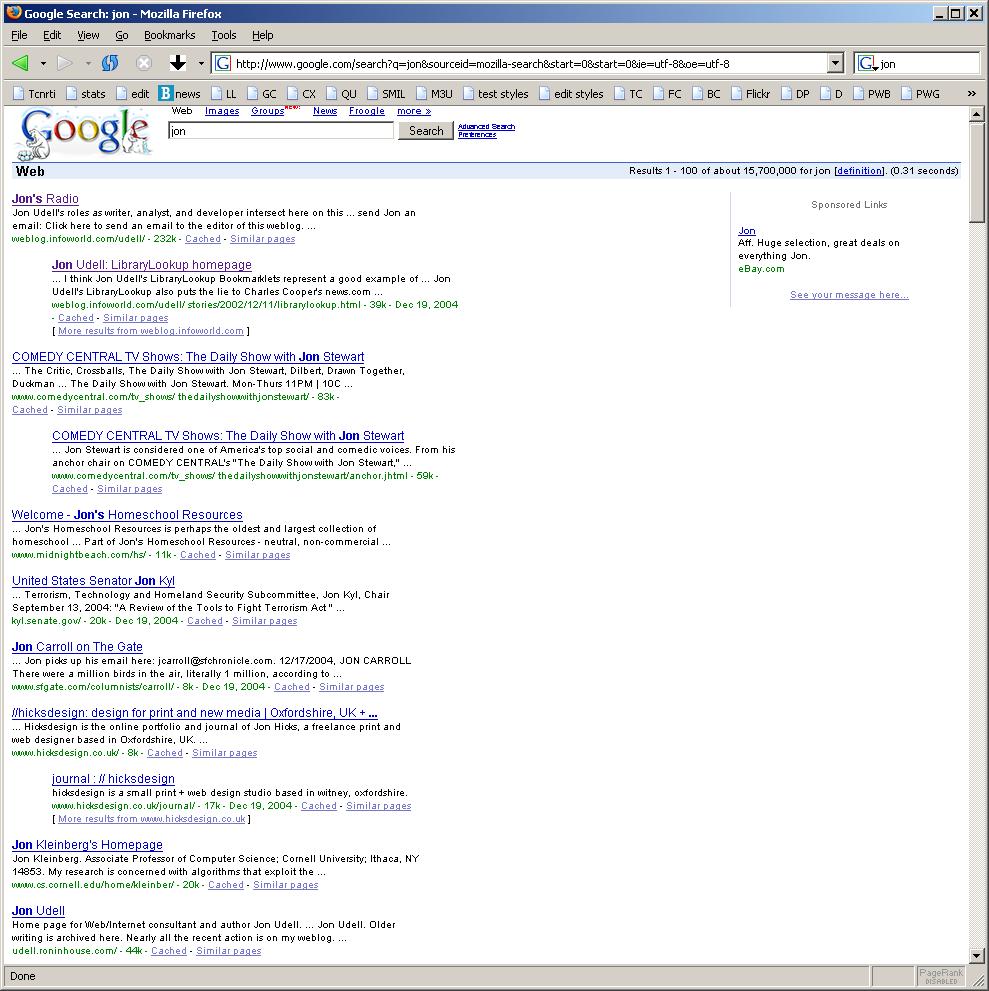
Over time, of course, the efficacy of these searches will decay. I’ve watched this happen with my own name. Years back, my stuff was pretty much the only stuff that a search for Udell would find. (There was even a time when the first Jon on Google was me, not Jon Stewart!) Then my wife began showing up, along with a whole bunch of other Udells. So I tuned my filters to Jon Udell, and they work better for now, but there are other Jon Udells and it’s only a matter of time before that namespace gets cluttered too.

In order to reliably find stuff about me, I need filters tuned to aspects of my identity: my domain name, my Twitter handle. Eventually Stefano’s in-law may reach the same conclusion. She may realize that posting to her website is more than a way to share her thoughts with the world. It also enables the world to react to her posts in ways she can, in turn, discover. At that point she may start to see why it’s important to actively colonize parts of the web that are, or can be, bound to aspects of her identity.

The elmcity project, similarly, invites promoters of public events — and communities at large — to colonize the web in ways bound to those individual or group identities. When you produce a calendar feed that flows through an elmcity hub, you’re not just helping to populate that hub. That feed is attached to your own site and, in theory, is directly discoverable there. In practice, though, there are aren’t yet good methods of discovery. We don’t yet have, for iCalendar, an autodiscovery mechanism like the one we have for RSS. That’d be easy enough, as Mark McClaren suggests:

Love it or hate it, iCalendar is the pervasive calendaring format. If we can enable RSS autodiscovery then why not do the same with iCalendar feeds. Adding one line of code would make it easier for people/machines to subscribe to an iCalendar feed.

<link rel="alternate" type="text/calendar"
  title="iCalendar feed for example.com"
  href="calendar.ics" />

It would also be really helpful to be able to bind locations to events in a discoverable way. To that end I’ve recently enhanced the HTML rendering of elmcity hubs. Now they include what Google calls rich snippets, using the RDFa-style markup documented here. The snippets include latitude and longitude coordinates derived in one of two ways:

1. Per-event. There are several ways that an event can show up bearing latitude/longitude values. The vast majority of such events will be those coming from Eventful and Upcoming, both of which services provide lat/lon values via their APIs. There’s also a GEO property defined for iCalendar, and some iCalendar producers use it to geocode events.

2. Per-hub. Although most iCalendar producers don’t use the per-event GEO property, elmcity hubs know their own locations. So events that lack specific lat/lon coordinates inherit the locations of their hubs.

It’s going to be a while yet until folks like Stefano’s book-writing in-law start to realize they can, as Kingsley Idehen nicely puts it, master their own seach indexes. But sooner or later they’ll realize that it’s possible. Likewise, it’ll be a while yet until promoters of public events realize that the event data they push to their websites can not only feed pub/sub networks, but can also feed location-aware search engines. I’m a patient man, though, and I do expect the seeds I’m planting to grow and eventually bear fruit.

The new oral tradition

Nowadays when people ask if I’ve read a book and I start to answer yes, I have to stop and think. Did I actually read the book? Or did I only hear the author discuss the book on a podcast? This confusion wouldn’t happen if the book were a work of fiction, but I’m mainly drawn to non-fiction and in that realm I’ve noticed a couple of things. First, I seem to absorb the gist of non-fiction books so well from listening to their authors that I sometimes feel as if I’ve read them. Second, I find that when I do read these books I am sometimes disappointed to find that the writing doesn’t compel me in the same way that the speaking did.

I almost hate to mention this effect, because book publishing is a tough business already and doesn’t need more grief. Nor would I want authors to fear audio exposure. But the effect is real, at least for me, and I wonder why. Here are two theories:

1. The rebirth of the oral tradition

Before there was print, we mainly experienced writing as authors’ voices. Print expanded the reach of their words but not of their voices. During the 20th century, electronic media expanded the reach of some authors’ voices — but only those few who appeared in mainstream media. In the 21st century, though, podcasting has democratized interviews with — and lectures by — authors. Now, for almost any book, you can find one or more podcasts in which the author discusses the work. We have far greater access to the voices of the authors we read and, through their voices, to their personalities. The voices and personalities can be more compelling than the writing.

2. The process of iterative refinement

When you read a book, you access the author’s brain at the moment when the book was just finished. When you listen to an author discuss a book, though, you access his or her brain after it has reflected on the book and processed the world’s reaction to it. That later brain knows more about the themes of the book, and can articulate them better.

Spoken-word audio occupies a small niche within the ecosystem of downloadable audio, so maybe few are noticing this effect. That’s probably a good thing. I like accessing authors’ brains through their voices in addition to — but sometimes as a substitute for — their written words. That kind of substitution, if more widely practiced, would be disruptive.

How George Bailey can save Delicious

Every Christmas we watch It’s a Wonderful Life. This year I’ll be imagining Jimmy Stewart saying, to a panicked crowd of delicious.com users rushing for the exits, “Now, hold on, it’ll work out, we’ve just got to stick together.”

If you’ve never used the social bookmarking service that began life with the whimsical domain name del.icio.us, here’s the Wikipedia summary. The service began in 2003, and by 2004 had transformed my work practices more profoundly than almost anything else before or since. I’ve written scores of essays explaining how and why. Here are some of my favorites:

2004: Collaborative knowledge gardening

2005: Language evolution with del.icio.us (screencast)

2005: Collaborative filtering with del.icio.us

2006: Del.icio.us is a database

2007: Discovering and teaching principles of information management

2007: Social information management

2008: Twine, del.icio.us, and event-driven service integration

2008: Databasing trusted feeds with del.icio.us

2008: Why and how to blurb your social bookmarks

2009: Collaborative curation as a service

Since the now-infamous leak of an internal Yahoo! slide naming delicious as one of a set of doomed services, there’s been some great gallows humor. Ed Kohler:

The easiest way to shut down Wikileaks would be to have Yahoo! acquire it.

And Anil Dash:

It seems like @pinboardIN is the most successful product Yahoo!’s had a hand in launching in five years. Congrats, @baconmeteor.

Anil is referring to pinboard.in, one of several delicious-like services to which delicious users began fleeing. Pinboard is notable for a clever model in which the price of a lifetime subscription rises with the number of users. When I first checked yesterday morning, that price was $6.90. I signed up at $7.24. Neil Saunders started tracking it at #pinboardwatch; it got to $7.74 last night; it’s $8.17 now. Maybe I should’ve bought 100 accounts at $6.90!

But seriously, this is a moment to reflect on how we can preserve the value we collectively create online. As some of you know, I have made heavy use of delicious in my own service, elmcity. When the news broke, Jeremy Dunck asked: “Bad news for elmcity, huh?”

Actually that’s the least of my worries. The folks who curate elmcity calendar hubs use delicious to configure their hubs, and to list the feeds aggregated by their hubs. It’ll be a bit inconvenient to transition to another bookmarking service, but it’s no big deal. And of course all the existing data is cached in an Azure database; the elmcity service doesn’t depend on live access to delicious.

The real concern is far broader. Millions of us have used delicious to create named sets of online resources. We can recreate our individual collections in other services, but not our collaborative efforts. In Delicious’s Data Policy is Like Setting a Museum on Fire, Marshall Kirkpatrick writes:

One community of non-profit technologists has been bookmarking links with the tag “NPTech” for years – they have 24,028 links categorized as relevant for organizations seeking to change the world and peoples’ lives using technology. Wouldn’t it be good to have that body of data, metadata and curated resources available elsewhere once Delicious is gone?

The problem with “elsewhere,” of course, is that there’s no elsewhere immune to the same business challenges faced by Yahoo!. Maybe now is the time for a new model to emerge. Except it wouldn’t be new at all. The Building and Loan service that George Bailey ran in It’s a Wonderful Life wasn’t a bank, it was a coop, and its customers were shareholders. Could delicious become the first user-owned Internet service? Could we users collectively make Yahoo! an offer, buy in as shareholders, and run the service ourselves?

It’s bound to happen sooner or later. My top Christmas wish: delicious goes first.

Using sparkcasts to enhance step-by-step instructions

A non-profit organization chartered to promote arts and culture within its community will be curating a new elmcity hub. The curator plans to invite dozens of member organizations to contribute to the hub — that is, to manage their public schedules using calendar applications, and to convey the URLs of their calendar feeds to the hub. It’s critical that these member organizations will be able to easily accomplish this task. I’ve been pointing to a series of how-to articles but it was time to make the instructions clearer and simpler. It was also time to revisit how to use screencasting to explain step-by-step procedures.

I started with the two web applications that make publishing calendar feeds as simple as it can be: Google Calendar and Hotmail Calendar. Here’s the new and improved explanation of How to publish a calendar feed from Google Calendar or Hotmail Calendar. I’ll soon learn how well this new explanation works for the intended audience. Meanwhile, here are some notes on the techniques I discovered.

Using sparkcasts

My earlier explanations didn’t use screencasts, they were just textual narrations with embedded static screenshots. That’s an appropriate way to explain step-by-step procedures. Screencasts can be overkill.

But it is nice to be able to show motion and sequential flow. I wondered: if sparklines are “intense word-sized graphics” that appear inline with text, is there a similarly lightweight way to use screencasts? Well, that’s how this explanation works. The steps are all written as text. Each step comes with a Watch! link that opens a quick little inline screencast.

Using Firebug to prepare screencasts

As I mentioned the other day, Firebug is an amazing tool for making mockups based on live web pages. And sometimes you can do more than just take screenshots of those mockups. Sometimes you can interact with them.

I used that method to temporarily alter both Google Calendar and Hotmail Calendar for these sparkcasts. In my case, both include several private calendars that were irrelevant to my explanation. Using Firebug I was able to remove them. I also made the address shown in Gmail look like the generic YourAccountName@gmail.com instead of judell@gmail.com. If subsequent interaction with the page doesn’t trigger a refresh of these altered elements, the changes will persist. Handy!

Using Camtasia to make animated GIFs

A movie-style screencast is a fairly heavy object, and it would be cumbersome to embed lots of these on a page. Animated GIFs are lighter. And it turns out that Camtasia can produce that format. Nice!

Using jQuery to reload animated GIFs

On the first try, I made each sparkcast loop forever, and used jQuery to show only the current one. But that wasn’t ideal. What I really wanted was for each sparkcast to play once when shown, then stop and offer a Replay link. If you view the source of this page, you’ll see the solution I came up with. It turns out that when you dynamically reload an animated GIF, you need to decorate its URL in a unique way; otherwise the browser won’t replay it.

Using Image Magick to control the looping of animated GIFs

Once I figured out how to replay a play-once GIF, I had to make all the GIFs stop looping. I’m sure that PhotoShop and others of its ilk can do that, but I like Image Magick’s ability to automate repetitive tasks. The Image Magick incantation to make an animated GIF play once goes like this:

mogrify -loop 1 howto-01.gif

Now that I’ve written this down, I can forget it until I need it again!

Democratizing design: why Eric von Hippel would love Firebug

Eric von Hippel’s book Democratizing Innovation rang all sorts of bells for me back in 2005. I cited it in a couple of InfoWorld columns and continue to cite it in blog posts. Here’s how I originally summarized the book:

MIT’s Eric von Hippel notes that users of products and services — and by users he means both individuals and companies — often innovate on their own rather than relying on manufacturers to do it for them. And not just in the realm of IT; a survey of employees in 74 pipe-hanger installation companies found that 36 percent developed or modified pipe-hanger hardware for their own use.

There’s no mystery why this should be. In general, we all share the same needs, but specific requirements vary in ways that motivate a shift from mass production to mass customization. The question is how to do mass customization economically.

Von Hippel advances the notion of user innovation toolkits. The Apache Web server, with its modular architecture, is an example of such a toolkit. In the hands of skilled programmers, Apache can be, and often is, tailored to specific needs. When such customizations are shared, other users benefit. But so do Apache’s developers, who, by observing what’s done with the toolkit, can more intelligently evolve the core product.

I’m always on the lookout for user innovation toolkits, and what brings me back to the topic today is this analysis of the design of Google’s and Bing’s maps (/via @gnat). It includes a stunning animated gif that flips between the Google and Bing renderings of the northeast U.S.

Justin O’Bierne’s question was: “Why Do Google Maps City Labels Seem Much More “Readable” Than Those of Its Competitors?” It’s a fascinating and, in my non-expert judgement, a very plausible analysis. When I watch the two sample images in rapid alternation, though, I’m struck by the way in which each seems more readable than the other in certain ways. I can imagine a mixing board with knobs for a bunch of textual, graphic, and layout parameters. By twiddling the knobs I could combine what I like best about each of these two samples. Of course I’m not a designer. If you are a designer, you’ll say that I’m being naive, that design isn’t knob-twiddling, it’s a holistic exercise. And you’ll be right. When everyone can twiddle all the knobs, disasters can ensue. I’ve created a few of my own.

Still, if we can democratize the knob-twiddling, we should. User innovation toolkits can’t guarantee good outcomes, but they can open up the design process to experiments that might sometimes work.

In that vein, I want to draw attention to an interesting use of Firebug. If you’re a web developer you know about this excellent tool. If you’re not you probably don’t, but you might want to remember what I’m about to say. It turns out that Firebug can enable an armchair web designer, perhaps with minimal knowledge of HTML and CSS, to prototype in-situ alternate versions of live web pages.

I discovered this because I wanted to be able to show how the elmcity event viewing widget might look as a replacement for the existing widget on the events page of various web sites. I formerly did this kind of thing in two ways. One was to drop an image of the new element onto an image of the existing page. The other was to save the page, edit its HTML and CSS, and snapshot the result. For all sorts of reasons, both of these methods were flawed and, more importantly, inacessible to anybody without a ton of web development experience.

Then I realized that Firebug enables a better way. Clearly I’m late to the party. I’m sure most web developers have known about this technique for a long. But I’ll bet a lot of people who aren’t web developers would want to use it from time to time too, if they knew how. So, here’s the drill.

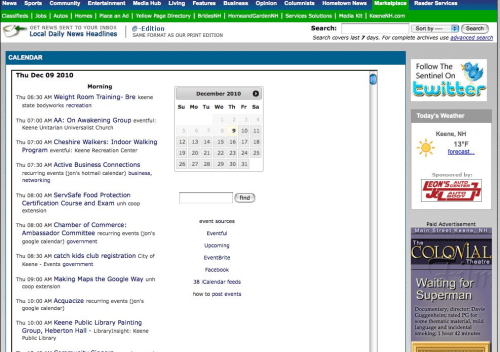
Let’s say that I want to show the Keene Sentinel how the elmcity widget would appear on the Sentinel’s calendar page. Here’s the existing page:

I position the cursor on the calendar element, and inspect it:

Now I can see that the element I want to replace is <div id="calendar">. So I click its parent, <div id="inside-page">, inspect it, click Firebug’s Edit button, and remove everything inside that tag:

Edit button??!! Who knew? Many of you, I guess, but not me until recently. Anyway, to complete the task I follow the instructions for how to stick an elmcity viewer widget into a page:

Done! Here’s what the Keene Sentinel’s calendar page would look like if it used the elmcity widget:

Firebug isn’t just a great tool for developers. It’s also a user innovation toolkit that can enable anyone to try out an alternate version of a live web page.

Automatic shifting and manual steering on the information superhighway

I’d like to thank the folks at the Berkman Center for listening to my talk yesterday, and for feedback that was skeptical about the very points I know that I need to sharpen. The talk is available here in multiple audio and video formats. The slides are separately available on SlideShare. There are many ways to use these materials. If I wanted to listen and watch, here are the methods I’d choose. For a tethered experience I’d download the original PowerPoint deck from SlideShare and watch it along with the MP3 audio. For an untethered experience I’d look at the slides first, and then dump the MP3 onto a portable player and head out for a run. Finally, if I lacked the time or inclination for either of those modes, but was still curious about the talk, I’d read Ethan Zuckerman’s excellent write-up.

After the talk we had a stimulating discussion that raised questions some of us have been kicking around forever in the blogosphere:

  1. Do “real people” — that is, people who do not self-identify as geeks — actually use feed syndication?

  2. If not directly and intentionally, do they use it indirectly and unconsciously by way of systems that syndicate feeds without drawing attention to the concept?

  3. Does the concept matter?

The third question is the big one for me. From the moment that the blogosphere booted up, I thought that pub/sub syndication — formerly a topic of interest only to engineers of networked information systems — was now becoming a tool that everyone would want to master in order to actively engage with networked information systems. Mastering the principles of pub/sub syndication wasn’t like mastering the principles of automotive technology in order to drive a car. It was, instead, like knowing how to steer the car — a form of knowledge that we don’t fully intuit. I have been driving for over 35 years. But there are things I never learned until we sent our kids to Skid School and participated in the training.

I’ll admit I have waffled on this. After convincing Gardner Campbell that we should expect people to know how to steer their cars on the information superhighway, I began to doubt that was possible. Maybe people don’t just need automatic transmission. Maybe they need automatic steering too. Maybe I was expecting too much.

But Gardner was unfazed by my doubt. He continued to believe that people need to learn how to steer, and he created a Skid School in order to teach them. It’s called the New Media Studies Faculty Seminar, it’s taking place at Baylor University where Gardner teaches, at partner schools, and from wherever else like minds are drawn by the tags that stitch together this distributed and syndicated conversation. Here’s Gardner reflecting on the experience:

Friday, I was scanning the blog feeds to read the HCC blogs about the discussion. Then I clicked over to some of the other sites’ blogs to see what was happening there. Oops! I was brought up short. I thought I’d clicked on a St. Lawrence University blog post. It sure looked like their site. But as I read the post, it was clear to me something had gone wrong. I was reading a description of the discussion at HCC, which had included very thoughtful inquiries into the relationship of information, knowledge, and wisdom. Then I realized that in fact I was reading a description of the HCC discussion — because that’s what they’d talked about at St. Lawrence University as well.

And now my links bear witness to that connection, tell my story of those connections, and enact them anew.

This property of the link — that it is both map and territory — is one I’ve blogged about before (a lucky blog for me, as it elicited three of my Favorite Comments Ever). But now I see something much larger coming into view. Each person enacts the network. At the same time, the network begins to represent and enact the infinities within the persons who make it up. The inside is bigger than the outside. Each part contains the whole, and also contributes to the whole.

The New Media Studies Faculty Seminar has given some educators a lesson in how to steer their own online destinies, and a Skid School course on which to practice their new skills. That pretty much sums up my ambition for the elmcity project too. Automatic transmissions are great. But we really do need to teach folks how to steer.

Upcoming talk at the Berkman Center

Here’s the blurb for a lunchtime talk I’m giving next Tuesday, December 7, 12:30 pm, at Harvard’s Berkman Center. Update: Slides here.

The elmcity project invites everyone who publishes community calendar events to:

  • Realize that event data published in a structured format, unlike data published as HTML or PDF, can be routed through pub/sub syndication networks.
  • Make public calendars available in the appropriate structured format: iCalendar (RFC 5545), the venerable Internet standard supported by all major calendar applications and services.
  • Recognize that iCalendar is the RSS of calendars. It can enable a calendar-sphere in which, as in the blogosphere, everyone can publish their own feeds and also subscribe to feeds from other people or from network services.
  • Help build the data web by owning the parts of it for which we ourselves are the authoritative sources.

The elmcity project delivers enabling technical infrastructure for this new approach to the community calendar. The project’s calendar syndication service is free; it runs open source code on the Microsoft Azure platform; it provides all of its syndicated data in open formats.

The real challenge isn’t technical, though, it’s conceptual. Most people don’t know how they could (or why they should) be the authoritative publishers of their own data. Missing concepts include:

  • The pub/sub communication pattern
  • Indirection (“pass-by-reference” vs “pass-by-value”)
  • Structured versus unstructured data
  • Data provenance
  • Service composition

Along with reading, writing, and arithmetic, these Fourth R principles will empower an informed and engaged 21st-century citizenry. As Jeannette Wing argues in her computational thinking manifesto, computer and information scientists are no longer the only ones who need to understand and apply these principles. Now we all do.

Drawing from the experience of the elmcity case study, this talk will explore what these Fourth R principles are, why they’re hard for most people to understand, how we can teach them, and why we should.

Refining the elmcity event viewer

When a curator starts up an elmcity hub, one of the outputs is an HTML view of the hub’s aggregated events. It’s just a scrolling list of H3 elements, augmented with a datepicker. In its first incarnation the datepicker was based on the Yahoo datepicker widget. Later I switched to the jQuery UI datepicker, and used it to:

  • Highlight the current date

  • Scroll the page to a selected date

  • Adjust the current date when the users scrolls the page

There was a lot more mileage I could have been getting out of the jQuery widget, though. This weekend I added the following behaviors:

  • Display only those sources — from the list [Eventful,Upcoming,EventBrite,Facebook] — that the curator has included

  • Display the count of iCalendar feeds the curator has included

  • Use hanging indentation to make the list of events more easily scannable

  • Enhance the highlighting of the current date

  • Dim the days that have no events

  • Scroll the page to a selected month when the user clicks the widget’s buttons

  • Disable the widget’s buttons at the beginning and end of the range of available dates

  • Search within the page for the first occurrence of an event matching the search term

One of the places where you can see the new widget in action is at Berkeleyside, the independent local news site for Berkeley, California.

Of course there are many ways to skin the cat. At another California-based hyperlocal site, Menlo Park’s InMenlo, the aggregated iCalendar feed (another of the elmcity service’s outputs) is displayed in an instance of Google Calendar. Note that in this scenario the only view that makes sense is the list (agenda) view, since a hub with any kind of flow will quickly overwhelm the other views.

Not long ago I wouldn’t have thought it possible to make a credible alternative to Google Calendar’s display widget. But with libraries like jQuery UI, along with tools like Firebug and the formidable debugger that’s available in the IE9 preview, I’m able to stretch my modest skills farther than I once could. I’m fairly happy with the current version of the viewer, and now that I’ve started to really get the hang of jQuery I’m looking forward to improving it.

My story about the local web

I’d like to thank Caleb Clark for recording and posting a video of the talk I gave last month at the Marlboro College Graduate School. I watched it the other night and I think it’s my best explanation of a cluster of things I’ve been thinking about and working toward for a long time. The list includes:

  • the local web
  • LibraryLookup
  • webscale identifiers
  • REST
  • public data
  • loosely-coupled cloud services
  • lightweight service composition
  • structure and transformation of data
  • the elmcity project
  • the pub/sub pattern
  • feed syndication
  • personally authoritative data publishing
  • social and decentralized information management

When I look at that list, and realize that I’m always trying to do (and describe) all of these things at the same time — because they’re all deeply intertwingled — I can see why it’s been so hard to tell the story. Apparently, given an hour, I can now tell it reasonably well. But I’ll rarely get that hour. So I also need to condense it into a five-minute Common Craft-style summary. A hard challenge, but a good one!

Hamlet’s BlackBerry and Jon’s WP7

Until a few days ago I never owned, carried, or used a smartphone. That made me an anomaly not only in geek circles but, increasingly, among civilians too. I had always been the pioneer adopter. Now I found myself at dinner parties watching friends do the kinds of things that they always used to watch me do: Drift away from the conversation, engage with unseen interlocutors, jack into the planetary dataspace.

The experiment was less inconvenient for me that it would be for many others. I work from home, I’m rarely offline, and I could use my feature phone’s primitive data services in a pinch. Still, why? Because, as William Powers says in Hamlet’s BlackBerry, “The air is full of people.”

Someone you know has just seen a great movie. Someone else had an idle thought. There’s been a suicide bombing in South Asia. Stocks soared today. Pop star has a painful secret. Someone has a new opinion. Please support this worthy cause. He needs that report from you — where is it? Someone wants you to join the discussion…

The subtitle of Powers’ book is A practical philosophy for building a good life in the digital age. He wants us to question our “digital maximalism” — that is, our uncritical embrace of connectivity for its own sake. But he frames the question using a series of historical examples. Technology, he argues, has always played a complex dual role as a mediator between our inner lives and the crowd.

In the first example, from Plato’s Phaedrus, Socrates and Phaedrus leave the connectivity-amplifying city for a walk in the countryside, so they can enjoy a deep private discussion about a lecture that Lysias had given. But first Socrates wants Phaedrus to recite the lecture, and expects him to do so from memory. Phaedrus says he can’t, and produces a written copy. This was “the very latest communications technology” — one that Socrates was wary of, but that here enables an experience that combines withdrawal from the hive and engagement with it.

I’ve been reflecting on continuous partial attention, and the shallowing effects of cyber-augmentation, for a while now. It’s why I took a break from this blog, put my podcast on pause, and sat out the early phase of the smartphone era. But it was inevitable that I’d get a smartphone someday, and when Microsoft made an offer I couldn’t refuse, I did.

As it turned out, this past Friday was the day. On Saturday, driving down to Boston with the family for an outing, I rode shotgun so I could explore the new thing. But I was determined to use it in a balanced and appropriate way. Since we were headed to Cambridge, and since there’s an elmcity hub for Cambridge, I checked it and found out about the Horns and Antlers exhibit at Harvard’s Peabody Museum. That’s right up Luann’s alley so we decided to go.

Then, feeling slightly conflicted, I dipped into the Twitter stream and read this:

@gardnercampbell: Just found & bought new poems by Gjertrud Schnackenberg. Harvard Bookstore makes my day.

Really? One of my favorite people is visiting Cambridge the same day? Shades of manufactured serendipity. And lo, Gardner and I were able to continue a dialogue we’ve been having for years, but rarely face to face.

So what do I think of Windows Phone 7? I love it and I fear it. Now admittedly, I would love an iPhone or an Android too. So if you know these devices you’ll need to look elsewhere for a comparative review.

Then there’s the fear. During the relatively few periods when I could have been connected to the crowded cloud but wasn’t, I’ve reflected on my own uncritical embrace of digital maximalism. So I do worry about carrying the crowd in my pocket. But I hope I’ll figure out how to strike the proper balance. One thing I’m pretty sure of: you won’t find me electing myself mayor of a coffee shop.

Components, pipes, and effective search

Sometime in the latter 1990s I was looking for a passage in a book that I owned. It was a revelation to discover that I could find the passage online more easily than I could by first locating my copy of the book, then scanning it and using its index. I’ve since re-enacted that scenario many times, most recently the other day when I was looking for the Diane Deutsch quotation about perfect pitch that appears in Oliver Sacks’ Musicophilia. In this case I had a library copy of the book on my desk. The text I was looking for is on page 125 of the library’s edition. As I like to do now and then, I made notes on the search strategy that got me to that page.

What I remembered of the passage was the analogy between pitch discrimination and color discrimination, so I began by searching the book using, somewhat arbitrarily, Google Books. My search term was simply color. The outcome of this naive attempt was both lucky and unlucky. Luckily it produced the most memorable part of the passage:

Suppose you showed someone a red object and asked him to name the color … Then you juxtaposed a blue object and named its color, and he responded, “OK,

Unluckily there was no preview available for the page. And the number of the found page was given as 134, which didn’t match the library edition I had on my desk. So I switched to Amazon. But the trip through Google Books was not useless. I came away with a much more discriminating phrase with which to search Amazon: red object.

Armed with that phrase, I found the page on Amazon right away, and the preview was available. But it wasn’t fully available: it ended in the middle of the passage I wanted. And again the page was given as 134, which differed from my edition.

Now, though, I had a partial page preview that showed me the layout of the page I was looking for. It was distinguished by a large indented block quote. I also had rough idea of where to look in the book: somewhere near page 134. Armed with these inputs I was able to scan the library book and zero in on page 125.

We don’t often enough name or describe the knowledge, the skills, and the techniques that enable successful search. To the extent that we do, we tend to suggest that there’s a best search engine, or a best search strategy, but the real story is subtler. Often, as in this case, the theme of the story is a pipeline of components. Here’s an illustration of the pipeline:

The mental model that drives this pipeline includes these assumptions:

  • There are multiple components. In this case: Google Books, Amazon, and the library book.

  • The components are differently searchable. Google Books and Amazon provide fulltext search; the book’s affordances are page-scanning and an index.

  • Search results are differently viewable. Google Books and Amazon may or may not provide previews; the book in hand is fully viewable.

  • The searchable components yield varying results depending on both input terms and available previews.

  • It’s possible, maybe likely, that no single component will lead to the desired result

  • A partial result from one search component can be piped into another search component.

I use the same approach when I search the web using Google and Bing in parallel. We have a cornucopia of tools at our disposal. We don’t expect to use the same screwdriver for every task; tools vary in their affordances and uses; we keep an evolving collection in our kits and combine them in novel ways to meet evolving challenges. To speak of a best search engine is as meaningless as to speak of a best screwdriver. When we teach “computer literacy” we need to develop the intuition that there’s no best information tool, but that there is a best model for using these tools.

Brainworms and perfect pitch

I thought I’d read everything by Oliver Sacks but he is prolific and I’d fallen behind. So I had to catch up with Musicophilia before I proceed to The Mind’s Eye. One of the themes of Musicophilia is brainworms: catchy tunes that you can’t get out of your head. Another kind of brainworm, for me, is the phrase or quotation that sticks in my head after I finish a book. My Musicophilia brainworm is a quote from Diane Deutsch about perfect pitch, which is another major theme of the book:

To give you a sense of how strange a lack of absolute pitch appears to those of us who have it, take color naming as an analogy. Suppose you showed someone a red object and asked him to name the color. And suppose he answered: “I can recognize the color, and I can discriminate it from other colors, but I just can’t name it.” Then you juxtaposed a blue object and named its color, and he responded, “OK, since the second color is blue, the first one must be red.” I believe that most people would find this process rather bizarre. Yet from the perspective of someone with absolute pitch this is precisely how most people name pitches — they evaluate the relationship between the pitch to be named and another pitch whose name they already know.

When I hear a musical note and identify its pitch, much more happens than simply placing its pitch on a point (or in a region) along a continuum. Suppose I hear an F-sharp sounded on the piano. I obtain a strong sense of familiarity for “F-sharpness” — like the sense one gets when one recognizes a familiar face. The pitch is bundled in with other attributes of the note — its timber (very importantly), its loudness, and so on. I believe that, at least for some people with absolute pitch, notes are perceived and remembered in a way that is far more concrete than for those who do not possess this faculty.

I don’t have perfect pitch but I’m starting to wonder if I have something like it in the realm of networked information systems. This week’s essay in my Why and how series, entitled Heds, deks, and ledes, is a case in point. The essay recalls chapter 4 of Practical Internet Groupware, which I wrote over a decade ago, and have reformulated in various ways since. To me the principles are so evident that it’s hard to understand why I had to write them down in the first place, never mind continue to restate them over the years. But I do so because I keep realizing that the “F-sharpness” I perceive is not evident to most people. The qualities of this kind of “F-sharpness” include these awarenesses:

  • of the layered structure of a package of information

  • of which layers are active in different network contexts

  • of how layers interconnect

  • of how to compose each layer to maximize its visibility and connectivity

I’ve always believed that these are teachable principles, and I’m striving more than ever to find ways to teach them. But what if they aren’t? What if this kind of “F-sharpness” is wired into my brain in a way it can’t be in most brains? It would be a disappointment but also a relief to realize that what I’m trying to teach might not be broadly teachable. I’m still stuck with the brainworm, though.

An unforgettable lesson

When my dad died a couple of years ago, our family had its first encounter with the hospice movement. Now my wife (Luann) and my daughter (Robin) are both doing hospice volunteer work. Last month, during one of the ongoing training classes for the volunteers, Luann told me about a powerful exercise that’s been stuck in my mind ever since. The goal of the exercise is to help volunteers understand what it is like to be the people they’ll be helping.

Here’s the setup. The trainer hands out packets of index cards and asks each trainee to write, on each of their cards, something he or she loves and would be devastated to lose. It’s easy to imagine what you’d write: the names of family members (spouse, parents, children, siblings, pets), activities (walking, playing music, traveling), experiences (reading, listening to music, enjoying gourmet dinners, watching sunsets).

Now the trainer walks around the room and randomly takes cards from people. One person loses two of them, another loses all of them, the person who lost two loses two more.

The effect is dramatic. Trainees clutch their cards and struggle not to let them go. When they release the cards they are visibly upset; some break down and cry.

This not only poignant. It also speaks volumes about effective explanation. For a long time my mantra has been: Show, don’t tell. If I show you a concrete example, that’s better than if I just tell you about an abstract principle. But that still leaves you on the outside looking in. If I can instead get you to experience for yourself what I am trying to explain, you will understand in a deep way and you will never forget.

The why and how of the elmcity project

With a few exceptions this space has been quiet for three months. Likewise my Interviews with Innovators show. I’ve always disliked posts about absences from blogging so I avoided writing one until now. But some people have asked, so here’s the answer. After 10 years of continuous output in the blogosophere, and 5 in the audiosphere, I needed to stop and think hard about what I’ve been doing in these venues, and why, and how I might use them better.

Along with throttling the output, I’ve cut way back on my input of text, audio, and video. In particular, after years of listening to many other voices during my hours of outdoor activity, I’ve sidelined the MP3 player, silenced those voices, and tuned into my own.

The upshot? I still don’t know how I’ll reboot the blog and the podcast, although I’m sure I will want to. Meanwhile I’m focusing on three things: refining the elmcity service, explaining the project’s underlying ideas and principles in a series of why-to pieces at radar.oreilly.com, and documenting how it all works in a series of how-to articles at answers.oreilly.com.

Here’s what I’ve got so far:

why how
5 The principle of indirection How to retry generically in C#
4 Personal data stores and pub/sub networks How to visualize an Azure table in Excel, using OData
3 Twitter kills the password anti-pattern, but at what cost? How to explore and automate Twitter’s OAuth implementation
2 The laws of information chemistry How to write an elmcity event parser plug-in
1 The power of informal contracts How to make Azure talk to Twitter
0 Lessons learned building the elmcity service

I’m writing these on parallel tracks, for different but overlapping audiences. You don’t have to be a programmer to read the Why series. It’s my effort to distill, from what I’ve learned and thought and done over the years, a set of general principles that can help everyone navigate — and innovate — in a connected world. I hope that educators in particular will take notice. There’s growing consensus that we ought to be teaching what is variously called computational thinking, or systems thinking, or digital literacy, or 21st-century skills. But we’ve yet to codify a set of guiding principles. I want to help get that done.

You do have to be a programmer to read the How series — and more specifically one who is curious about the Azure cloud, the .NET framework, the C# language, and Visual Studio. It’s all fairly new to me: Azure’s only a year old, and I never did much with prior incarnations of the framework, language, and tools. So I bring a beginner’s mind, and I don’t pretend to be a guru. But I am a good learner, I like to document what I learn, and when I do it connects me with people who help me learn better. I did this once before, at BYTE, when I began to develop the nascent web of people, documents, and services using Perl and CGI. Now I’m learning how to develop the current version. There is, of course, More Than One Way To Do It. I work for Microsoft and I’m focusing on the Microsoft suite of technologies. But you’ll see me use them in an eclectic way, from a perspective deeply rooted in openness and diversity. I sincerely want to help build a bridge between two vibrant software cultures that don’t know enough about one another.

Where these two tracks will lead I don’t know, but I’m enjoying the ride. I hope you will too.

Hijack my DNS and I’ll be annoyed. Blame me for it and I’ll go ballistic.

Things got off to a good start with Time Warner Cable’s Road Runner service. I switched over recently when it became clear that Fairpoint cannot or will not maintain its infrastructure. The Time Warner kit showed up, I plugged everything in, my new digital phone and Internet services worked right out of the box. Nice!

There was just one annoying glitch. My searches kept getting redirected to dnssearch.rr.com. So for example, if the search term was “Jon Udell”, I’d land here. The landing page poses the question “Why am I here?” and answers thusly:

You entered an unknown web address that was used to present site suggestions that you may find useful. Clicking any of these suggestions provides you with search results, which may include relevant sponsored links.

If this service is not right for you, please visit your Preferences page to opt out. At any point in time, you can opt back in to the service by visiting your Preferences page.

You might wonder why search would trigger this hijacking. I looked into it and found that my DoubleSearch search provider, which queries Google and Bing side-by-side, reveals an odd Road Runner quirk. When I use it on a Road Runner connection, the Google search works normally but the Bing search gets hijacked. This wouldn’t happen normally, but it turns out that I never updated the DoubleSearch provider when search.live.com was redirected to search.bing.com. So when the provider invokes this URL:

http://search.live.com/results.aspx?q=”Jon Udell”

I should be redirected to:

http://search.bing.com/results.aspx?q=”Jon Udell”

But instead, Road Runner sends me to:

http://dnssearch.rr.com/?q=”Jon Udell”

Evidently you don’t need to fail a DNS lookup outright to trigger the hijacking. It even happens when your first destination redirects you to a second.

When I went to the Preferences page to end this interference I found not one but three “services”:

  1. Web Address Error Redirect Service
  2. Typo Correction Service
  3. Safe Search Filter

As others before me have discovered, the first of these — the “non-existing domain landing service,” aka DNS hijacking — is enabled by default. That rubs me the wrong way. I don’t want Time Warner Cable hijacking DNS lookups at all. Doing it in a way that involves “relevant sponsored links” is even worse. And triggering on a redirect instead of an outright failed lookup is just plain weird. But OK, it’s a setting, I can disable it once, and then forget about it, right?

Wrong. It turns out that to “disable” the “service” doesn’t mean ending the hijacking for my local network. Instead it means dropping a cookie into whichever browser I happen to be using at the time. This fails to address the various problems detailed on Wikipedia’s DNS Hijacking page.

So I called Time Warner to ask them if they will implement the setting correctly. Unlikely, but it never hurts to ask. Things got off to a really bad start with the first support agent, Kerwin, though.

Me: Your Web Address Error Redirect Service is creating a problem and I’d like to see if we can resolve it.

Kerwin: Where are you being redirected to? It sounds like your computer is infected with a virus, so…

Me: Hold it right there, pal. Let me speak with your supervisor.

After some backpedaling, during which I learned that Kerwin didn’t even know what DNS hijacking is, never mind that Road Runner does it, I connected with Bill at level two support. I told Bill to take Kerwin out to the woodshed for a spanking, and explained the situation again. Bill, who says he’s worked at Time Warner for 8 years, also claims not to know that this “service” exists on his company’s network.

I am waiting (but not really expecting) to hear back from somebody at level three. Meanwhile I just had to get this rant off my chest. If you hijack my network pipe, I’ll be annoyed. If you make it hard for me to stop you from doing that, I’ll be angry. But if you blame me for creating a problem you claim not to know about or understand, I’ll go ballistic.

Geodesic tomato suspension dome

Ever since I saw tomatoes growing in a greenhouse that had a suspension system to hoist them up, I’ve wanted to do something like that. I’ve also been wanting to make a structure using Starplate connectors. This year the two ideas came together to create a tomato suspension dome.

The structure

The kit

The Starplate kit is just 11 metal plates that accept 2-by-3s or 2-by-4s on edge, like so:

I used 8-foot 2-by-3s. Around the edge of the pentagonal base I planted peas, pole beans, and morning glories. Inside, it was all tomatoes and basil. Although I used indeterminate vines, they didn’t reach as high as I’d imagined. So I never had to climb a ladder to pick tomatoes.

The big question in my mind was how to hoist the tomatoes. I ended up putting eyehooks into the upper struts, spaced about 18″ apart, and running string through them to form concentric pentagons descending from the peak. Then I could toss the weighted end of a string up and over to make a pulley anywhere in the enclosure.

Suspension

Here’s the suspension method:

It entails:

  1. Wrapping a loop of tomato velcro around the vine
  2. Tying one end of string to the loop
  3. Running the other end up over a skyhook, down through the loop, and back up six inches or so
  4. Hoisting the vine
  5. Tying the end into a slipknot around the pair of strings

Every couple of weeks, as the vines grew, I’d detach the collar, raise it up, reattach, and hoist.

Outcomes

The peas and beans did OK, but were happier in other parts of the garden. The tomatoes rocked. I’m not ambitious enough to do any real canning, but here’s one happy outcome: 6 quarts of fresh salsa and a couple of gallons of juice infused with jalapenos, serranos, and poblanos.

Another outcome: oven-dried tomatoes. These are just like sun-dried except they only take 12 hours in the oven at 200 instead of days in the sun.

The salsa was a ton of work but oven drying is dead easy. I’ve got a lot more tomatoes still to come, and this the future for many of them.

Next year

Things to do differently:

  1. Start the morning glories sooner. When the peas and beans didn’t cooperate, I wanted another use for all the height I’d created, but the morning glories got a late start.
  2. Abandon netting. Part of the problem with the peas and beans was that I hung netting for them to climb. Bad idea. Next time, I’ll just dangle a bunch of strings.
  3. In late winter, dump in manure to generate heat and enclose with plastic to create a greenhouse.

Is this really practical?

Probably not. If you’ve ever been bitten by the dome bug, it’s just something you have to get out of your system sooner or later. Domes are preposterous structures, really, as Stewart Brand pointed out hilariously in How buildings learn. There’s a reason why we build rectangularly: You can use standard materials, you can expand outward, you can use interior space efficiently. Domes create big structures from small amounts of material, but they’re not very practical structures. There are surely easier ways to hoist tomatoes. Still, it’s been fun!

Attack of the giant sunflower

I had a hunch that if I grew sunflowers in a fenced enclosure inside the chicken run they’d get big, since that’s the most fertile part of my backyard. Tonight I measured the tallest at 10 feet, 8 inches (3.25 meters). It’s stout, too, I feel like I could almost climb it. Impressive!

Yeah, but how impressive? And, even more interesting to me, how can we find data to help answer the question? Perhaps with a sequence of searches like so:

“1-foot sunflower”

“2-foot sunflower”

…etc…

“26-foot sunflower”

“27-foot sunflower”

These are parallel searches of Google and Bing for [1..27]-foot sunflower”. Here are the resulting counts, with Bing scaled up by a factor of 100 to make the trends comparable:

So, maybe my near-11-footer isn’t so special after all. This method of finding out is interesting, though. It seems incredibly naive. If you try those queries you’ll find all sorts of stuff that isn’t relevant to what I mean by an n-foot sunflower. But if the amount of irrelevance is constant across the range, it factors out, right? And the two independent search engines make this a controlled experiment.

I wonder how well this proxy for sunflower height distribution correlates with the actual distribution. Of course there are a million other questions you could try to answer this way. It’d be easy to make a web app to automate this method. I lazily hope somebody already has, or will, so I don’t have to.


PS: My sunflowers are actually a second crop. The first one had a crazy head start, because we had freaky warm weather in February. But then in early April, when they were already 3 feet high, the chickens broke into the enclosure and demolished them. What lofty heights could my sunflowers have reached this summer? We’ll never know.


PPS: Here’s the data:

1,2,0
2,994,10
3,8,4
4,10,4
5,9,4
6,3270,37
7,74,11
8,135,12
9,176,11
10,1690,39
11,75,9
12,472,37
13,82,12
14,220,8
15,54,9
16,9,4
17,2,1
18,55,4
19,6,2
20,119,8
21,0,0
22,2,0
23,0,0
24,8,3
25,891,2
26,3,2
27,0,0

Web spreadsheets for humans and machines

Last week Kevin Curry dug into some data about school violence in his district. In this case the data was made available as HTML, which means it was sort-of-but-not-really published on the web. Kevin writes:

Whenever I come across data like this the first thing I want to know is whether or not it can actually be used as data. In order to be used/usable as data the contents of this HTML table need to be, at minimum, copy-and-paste-able into a spreadsheet.

Or, alternatively, the HTML table needs to be parseable as data. In this case, I was surprised to find that a couple of tools I normally use to do that parsing — Dabble DB and Excel — didn’t work. That’s because Kevin’s target page doesn’t include a static HTML table. It’s dynamic instead: First you select a district, then the table appears. This mechanism defeats tools that try to parse data from HTML tables, so it’s a bad way to publish data that you want to be available as data.

Lacking the option to parse the HTML table, Kevin’s only choice was to copy and paste. That’s clumsy, and you have to be really motivated to do it, but it can be done. Here’s the Google spreadsheet Kevin made from the data he copied and pasted. And here’s the same stuff as an Excel Web App.

If you haven’t tried out the new Excel Web App, by the way, it’s interesting to compare the two. One key difference, at least from my point of view, is — not surprisingly — the Excel Web App’s ability to roundtrip with Excel. A Google spreadsheet is, at this point, more functional in standalone mode. While you can edit both a Google spreadsheet and an Excel Web App in the browser, for example, the Google spreadsheet can insert and modify charts, whereas the Excel Web App only edits data.

Of course if you have Excel you’d rather use it to insert and modify charts. It’s a lot more capable than any browser app is likely to be anytime soon. So it’s pretty sweet to be able to open the cloud-based Excel spreadsheet, edit locally, and then save to the web. A related limitation of the Google spreadsheet is that you lose charts when you download to, or upload from, Excel.

Another key difference: The Excel Web App currently lacks an API like the one Google provides. I really hope that the Excel Web App will grow an OData interface. In this comment at social.answers.microsoft.com, Christopher Webb cogently explains why that matters:

The big advantage of doing this [OData] would be that, when you published data to the Excel Web App, you’d be creating a resource that was simultaneously human-readable and machine-readable. Consider something like the Guardian Data Store (http://www.guardian.co.uk/data-store): their first priority is to publish data in an easily browsable form for the vast majority of people who are casual readers and just want to look at the data on their browsers, but they also need to publish it in a format from which the data can be retrieved and manipulated by data analysts. Publishing data as html tables serves the first community but not the second; publishing data in something like SQL Azure would serve the second community and not the first, and would be too technically difficult for many people who wanted to publish data in the first place.

The Guardian are using Google docs at the moment, but simply exporting the entire spreadsheet to Excel is only a first step to getting the data into a useful format for data analysts and writing code that goes against the Google docs API is a hassle. That’s why I like the idea of exposing tables/ranges through OData so much: it gives you access to the data in a standard, machine-readable form with minimal coding required, even while it remains in the spreadsheet (which is essentially a human-readable format). You’d open your browser, navigate to your spreadsheet, click on your table and you’d very quickly have the data downloaded into PowerPivot or any other OData-friendly tool.

Some newspapers may be capable of managing all of their data in SQL databases, and publishing from there to the web. For them, an OData interface to the database would be all that’s needed to make the same data uniformly machine-readable. But for most newspapers — including even the well funded and technically adept Guardian — the path of least resistance runs through spreadsheets. In those cases, it’ll be crucial to have online spreadsheets that are easy for both humans and machines to read.

The network is the keyboard: Patterns of scalable communication

Last week Scott Hanselman summed up the principle of keystroke conservation like so:

There are a finite number of keystrokes left in your hands before you die. Next time someone emails you, ask yourself “Is emailing this person back the best use of my remaining keystrokes?”

Several of the comments on Scott’s post focused on the notion that keyboards will one day be obsolete, and that speech recognition will break the typing bottleneck. But that’s not the real bottleneck. The keystroke conservation principle is just one way of getting at the notion of scalable communication powered by network effects.

One of my favorite stories comes from Larry Moore, who was a Lotus executive. To illustrate why people didn’t “get” Lotus Notes, he used to talk about the early days of the telephone business, when there were roadshows to introduce people to the concept of telephony. Demonstrators would set up two phones on either end of a stage, with a wire strung between, and talk to each other. But it made no sense to the audiences. Obviously those people could already hear each other! Who needed the wire?

It’s the same thing with the principle of keystroke conservation. If I talk to one person, or a few people, faster than I can type messages to one or a few, I can communicate more, but not orders of magnitude more, and not in ways that fully exploit the power of the network.

Forget keystrokes for a moment and look at how Sal Khan is rewiring math and science education. He started out doing one-on-one tutoring with his cousin Nadia. It’s clearly ridiculous to say that his ability to scale that effort is constrained by the rate at which he can talk. On his instructional videos he talks no faster than normal. But he has strategically placed those videos in a pub/sub network where they can be discovered, subscribed to, shared, and reused. There are nearly 60,000 subscribers to his YouTube channel. That’s scalable communication.

The problem with examples like this one, of course, is that most of us aren’t rock-star performers like Sal Khan. If we push all the communication that we can into open networks, we’re not going to boost our reach by five orders of magnitude. Maybe only two. Maybe even just one. But that’s significant! You’ll never type a message 10x faster, or speak it 10x faster. But you can easily reach 10x more people by adopting communication habits that make it more likely that your message will be discovered, shared, and reused.

Face-to-face discussion, phone calls, email, and text messages are narrowcasting modes that don’t scale in this way. Blogs, Twitter, Facebook, wikis, and audio or video podcasts are broadcasting modes that do. How do we use both together in the right ways for given situations? It’s subtle. One commenter on Scott’s post writes:

My emails very rarely contain anything to blog about or update a wiki with.

What amount of email do you think is actually appropriate to becoming a blog entry in your life or in a less technical person’s life?

For what it’s worth, I think in terms of an inventory of reusable parts and the DRY (don’t repeat yourself) principle. For example, I’m often asked about how to publish iCalendar feeds from popular calendar apps. So I’ve written up a series of how-to blog posts. And I’ve encapsulated that series into a query: http://delicious.com/judell/icalpub+howto. None of those posts would have been email messages. But there are many email messages in my outbox that contain links to the series. Because the link is a query, it yields fresh results for anyone who has ever received the link in email as well as for anyone who ever will. The same posts are also quite often found directly by way of search.

Counting keystrokes is just one way to think about the underlying pattern. It’s not about typing versus talking. It’s about choosing the mix of modes that will best repay the effort you invest in communication.

The arrow of WordPress time

Wakened this morning, about three o’clock, by Mr. Griffin with a letter from Sir W. Coventry to W. Pen

So begins today’s installment of The Diary of Samuel Pepys, as rendered by Phil Gyford. It’s a remarkable project that maps January 1, 1660 (the start of Pepys’ famous diary) to January 1, 2003 (the start of Phil’s Moveable Type recreation of the diary) and has continued faithfully ever since.

The Pepys blog is enhanced in all sorts of useful ways. People, places, and topics are cross-linked with indexes, places are mapped, all references are viewable on a timeline — it’s a brilliant example of advanced blog customization.

Back in 2003 I mused about what kind of content management system would enable somebody to do a project like this without a lot of inspired hacking. The question came up again recently when my sister Ruth decided to recreate an archive of letters that my parents wrote home from our 15-month stay in New Delhi during 1961 and 1962.

I’ve long held that blog publishing systems are really lightweight content management systems that can be used for almost any purpose. So I pointed her to WordPress.com, explained that you can use pages instead of posts to arrange items however you like, and waited to see what would happen.

Well, it didn’t work. It’s true that you can build an arbitrary collection of pages, but there’s no way Ruth would be able to manage that collection without automation. I could write code to help her, but I don’t want to. That’s partly laziness, and partly curiosity about how to use the standard kit to achieve the desired effects.

One of the biggest limitations of pages, in WordPress, is something I’d never noticed until now: No tags! So ended my plan to have Ruth use tags on pages to achieve a lightweight version of Phil Gyford’s indexes.

Why not just use posts? Originally I thought it would be cool to mimic the Pepys diary: start with a date in 1961, and continue in “real” time. But Ruth doesn’t want to do it that way. She wants to be able to process the archive in any order that’s convenient. And she wants it to read forward, like a book of letters, not backward like a blog. These perfectly reasonable requirements turn out to be harder to satisfy than you’d think.

It turns out that you can make the letters run forward on the Posts page by manipulating the publication dates. So here was the scheme I tried first:

July 2 1961 -> Jan 01 1961 15:01
July 4 1961 -> Jan 01 1961 15:00
...
Oct 19 1961  -> Jan 01 1961 04:01
Oct 22 1961  -> Jan 01 1961 04:00

In this scheme, every letter maps to the same day, chosen arbitrarily as Jan 1, 1961. Every month maps to an hour of that day, each letter maps to a minute within that hour, and the times run backward. Since WordPress reverses the sequence again when displaying items on the Posts page, that makes time run forward in that view.

The benefits are huge. Now Ruth can use tags to organize sets of letters, imposing as much or as little structure as she wants. Views by tag are neatly presented as sets of blurbs with “Continue reading” links. Each item automatically links to its predecessor and successor.

But there’s irreducible weirdness too. For example, the Jan 01 1961 date — which has now become an abstract database key used only for sorting — is part of every post URL. You wind up with patterns like this:

/1961/01/01/june-30-1961-from-anita/

This gets even weirder because dates prior to the start of Unix time — Jan 1, 1970 — don’t display in the management UI. However that turns out to be both a feature and a bug. It’s a feature because WordPress reverts to the current date for display, so you see “Posted on June 28, 2010 by Ruth” instead of “Posted on January 1, 1961 by Ruth.” And it’s a bug because you can’t easily scan and adjust the dates that control sorting.

More weirdness arises from the deeply hardwired assumption — in WordPress, but also in all blogs, really — that entries post in reverse chronological order. Although the backwards time mapping seemed at first glance to work, it turned out to be broken in two ways. On the Posts page, after the break, the link pointed to “Older entries” which were really, in our scheme, “Newer entries.” And within posts, the next and previous logic was also reversed.

So for now I’ve gone back to a forward mapping of hours and minutes within Jan 1, 1961. I’ve ditched the default Posts page in favor of a hand-crafted page that presents items in ascending order. Once you’re in an item, the next and previous links work as expected because, when you move from item to item, WordPress uses a forward arrow of time.

I’m not complaining. It’s astonishing that WordPress provides a free service that Ruth can use publish this archive of letters, and I’m hugely grateful. I think we’ll be able to come up with a technique that will satisfy her requirements — without demanding heroic effort from her or custom software from me. But it sure is interesting to see what happens when you mess with a blog’s notion of the direction of time.